#Live Countdowns and 20 Holiday Sale Templates in Swiper Studio
The biggest shopping weeks of the year are coming. Black Friday lands on November 27, Cyber Monday on November 30, and every store homepage will need a sale banner that says what's on offer, when it ends, and where to click.
Today we are shipping two things for that:
- Live countdowns. Any text element can now count down to a date, tick every second, and switch to your own text when time runs out. No code, no extra widget.
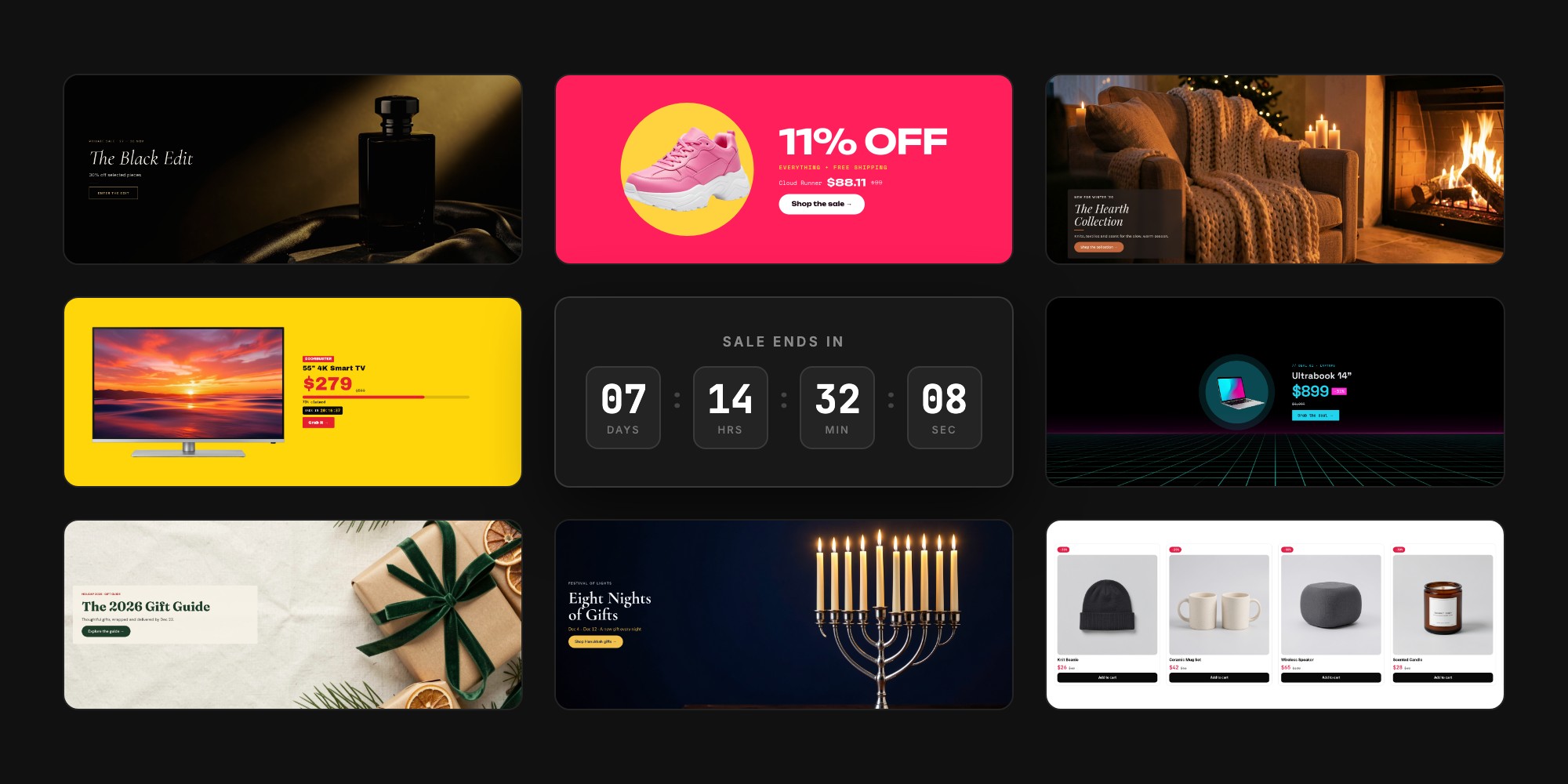
- 20 holiday and sale templates. Store banners for Black Friday, Cyber Monday, Singles' Day, Small Business Saturday, Christmas, Hanukkah, and New Year, plus four promo templates you can use all year.
The catalog is now 120 templates. Browse the new ones in the Holiday & Sale section, or read on.
#Live Countdowns on Any Text
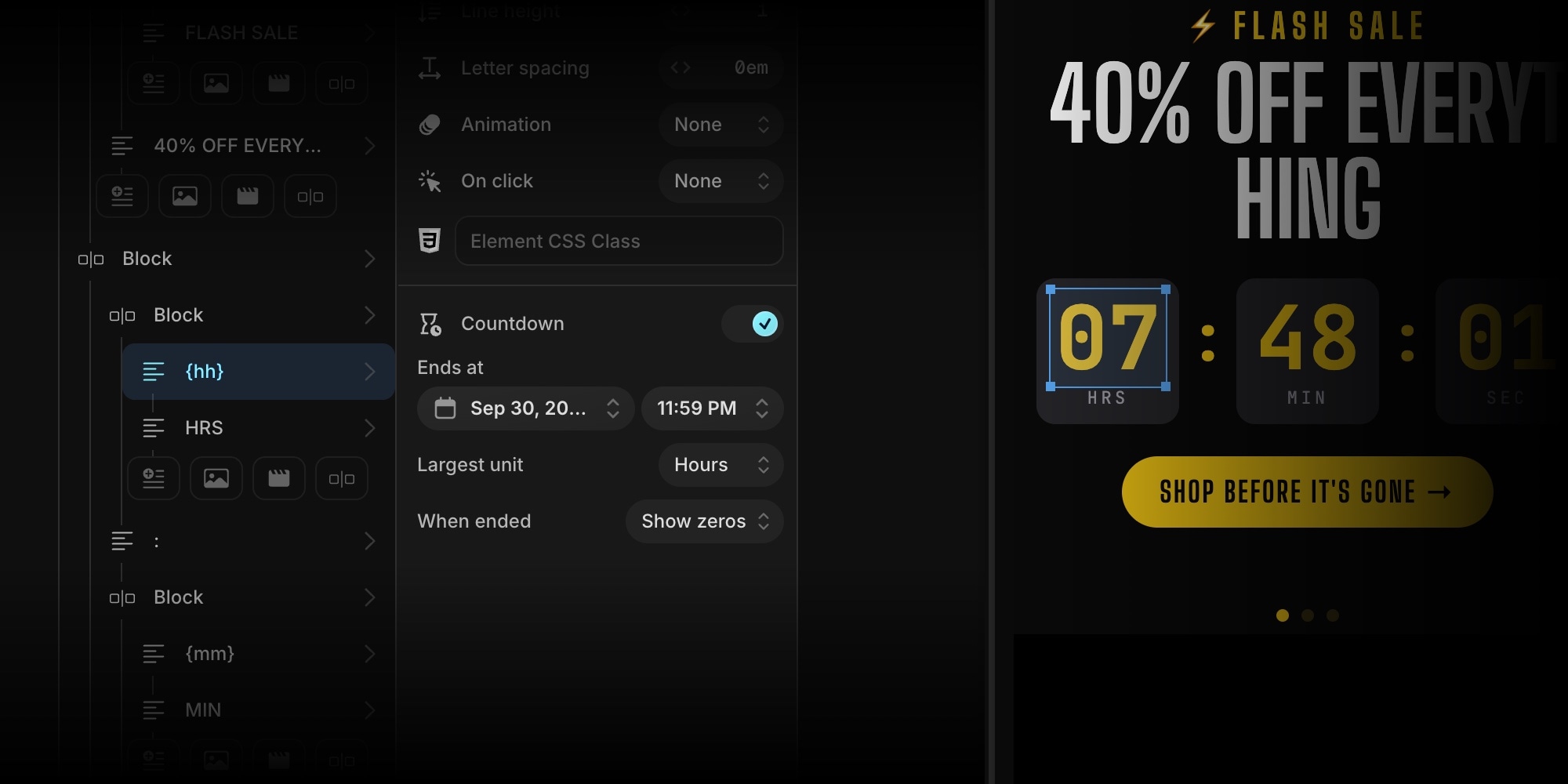
Select a text element, turn on Countdown in its settings, and pick a date and time in Ends at. The text becomes a live timer.
The countdown is driven by tokens inside the text itself, so it's as flexible as regular copy:
{d}{h}{m}{s}- days, hours, minutes, and seconds{dd}{hh}{mm}{ss}- the same, zero-padded
Write Sale ends in {dd}d {hh}h {mm}m and you get "Sale ends in 07d 14h 32m". Write {hh}:{mm}:{ss} and you get a clean flash-sale clock. The largest unit you use absorbs the rest, so {hh}:{mm}:{ss} shows total hours instead of wrapping at 24 - exactly what a "48-hour sale" timer should do.
A few settings cover the rest:
- Ends at is saved with your timezone, so the countdown ends at the same moment for every visitor, wherever they are.
- Largest unit is for boxed digits. Put
{dd},{hh},{mm}, and{ss}in four separate styled blocks, set Largest unit to Days on each, and the hours box shows 0-23 instead of total hours. - When ended decides what happens at zero: keep showing zeros, swap to your own text like "SOLD OUT" or "Sale ended", or hide the text entirely.
Because a countdown is just a text element, everything else still applies. Style it with any Google Font, put it in a pill or a bordered box, give it an element animation, and set different sizes per breakpoint.
#Works Everywhere You Publish
The countdown keeps ticking wherever the slider goes:
- Published sliders on the CDN and embed snippets
- HTML, React, Vue, Next.js, and Web Component exports
- Paste into Webflow
- The Shopify app theme block
The countdown runtime is a tiny module that is only included when a slider actually uses a countdown. Countdown text also stays hidden until the runtime has formatted it, so visitors never see raw tokens or a stale time flash before the timer starts.
#20 Holiday and Sale Templates
This batch is built for stores, not for screenshots. The audience is a Shopify merchant or a Webflow designer who needs a Black Friday banner this week, will swap in their own products, change the percentage and the date, and ship.
- Store banner proportions. Most templates are wide, short hero banners that sit at the top of a homepage, tall on phones and wide on desktop.
- Real retail mechanics. Percent-off badges, old and new prices, promo codes, stock bars, "ends in" countdowns, and a CTA link on every sale slide.
- Holiday lives in the skin. Color, copy, and a few decorative blocks carry the occasion. Underneath is a generic sale banner, so a Christmas template can become a spring sale in a few minutes.
- Countdowns everywhere. Half of the batch uses the new countdown, from boxed digit clocks to a single "ends in" pill.
#Black Friday and Cyber Monday
#Black Friday Blackout
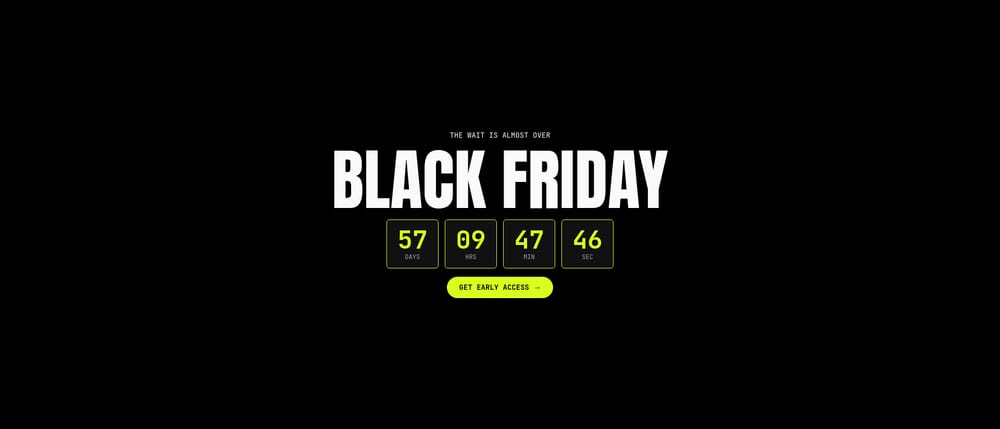
Black Friday Blackout - The definitive Black Friday banner. Pure black, huge Anton type, one volt accent, and a boxed live countdown front and center. Three deal slides follow, each with a product cutout on a dark circle.
#Black Friday Luxe
Black Friday Luxe - The premium take for fragrance, fashion, and jewelry brands that don't want to look like a discount warehouse. "The Black Edit" private sale in Cormorant Garamond italic, champagne gold on black, and split editorial product slides.

#Cyber Monday Glitch
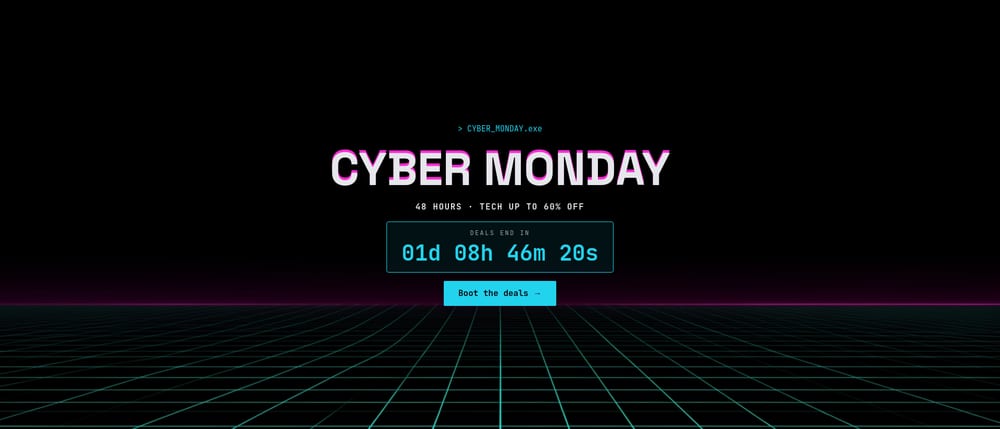
Cyber Monday Glitch - Tech deals on a neon retro grid. A faux-glitch headline, a terminal-style countdown, cyan and magenta deal slides, and a pixelize shader transition between them.
#Black Friday Deal Grid
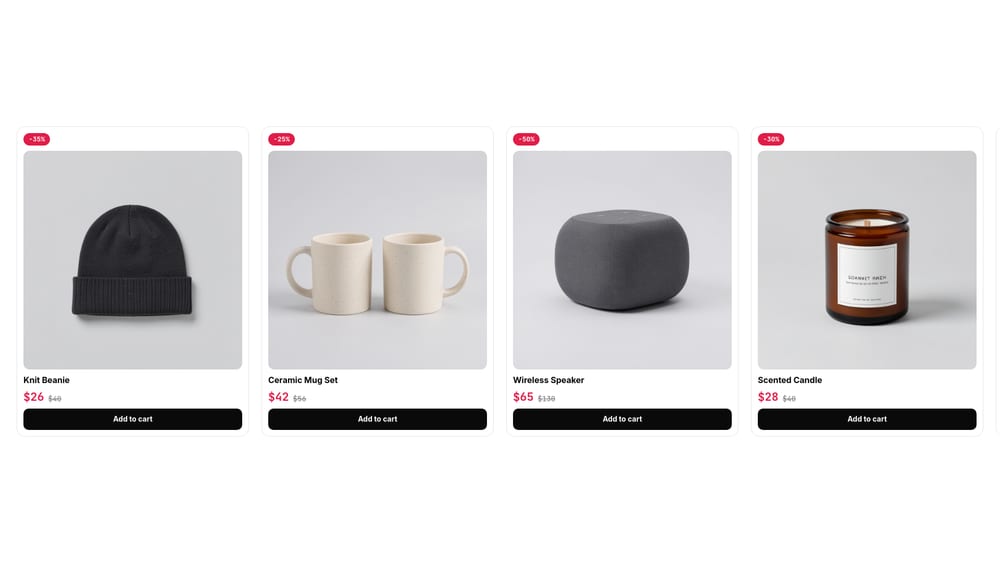
Black Friday Deal Grid - The most copy-paste-able template in the batch. A product carousel with eight cards, each with a photo, a discount pill, a sale price next to the struck-through original, and an "Add to cart" button. Up to four cards per view on desktop.
#Doorbusters
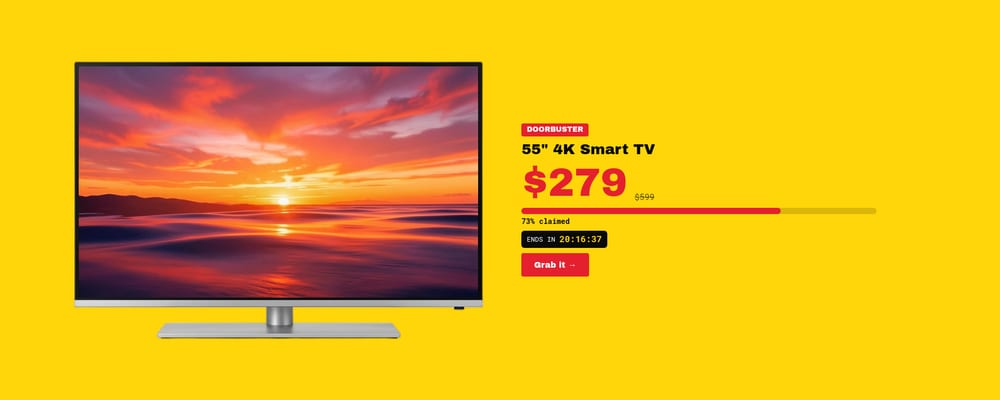
Doorbusters - Big-box retail energy in yellow and red. One deal per slide, each with a "claimed" stock bar and its own live countdown that flips to SOLD OUT when the deal ends. Stagger the end times and you have hourly doorbusters.
#Black Friday Week
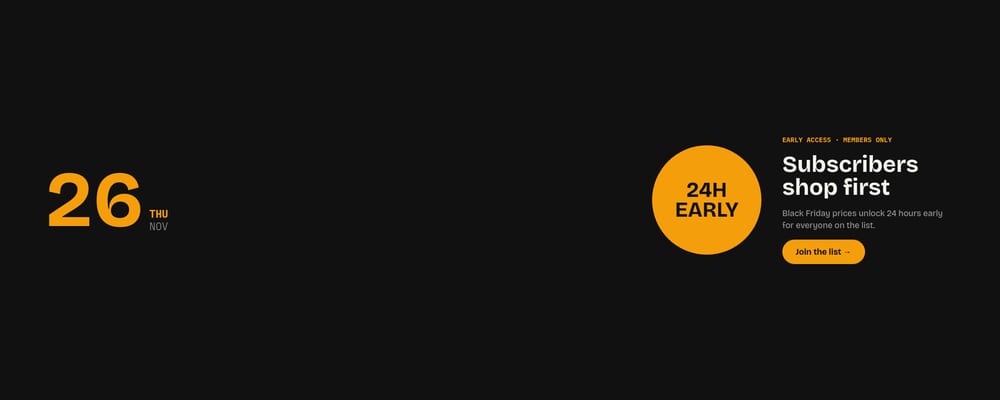
Black Friday Week - The whole week as a schedule, from Thursday's early access to Cyber Monday. Each day is a slide with a huge date, its own accent color, and that day's offer.
#Christmas and Winter
#Christmas Gift Guide
Christmas Gift Guide - An editorial gift guide instead of a sale shout. Overhead flat-lays for For Her, For Him, For Kids, and Under $50, with Fraunces headlines in cream and forest green.

#Cozy Winter Collection
Cozy Winter Collection - The holiday template that isn't about a discount. A seasonal collection launch with firelit lifestyle photography, a slow Ken Burns zoom, and long cross-fades.

#Christmas Sale Classic
Christmas Sale Classic - The red and gold Christmas sale banner done well. Ornament cutouts hang from thin strings, Abril Fatface carries the headline, a live countdown runs in a pill, and a promo code slide closes it out.

#12 Days of Deals
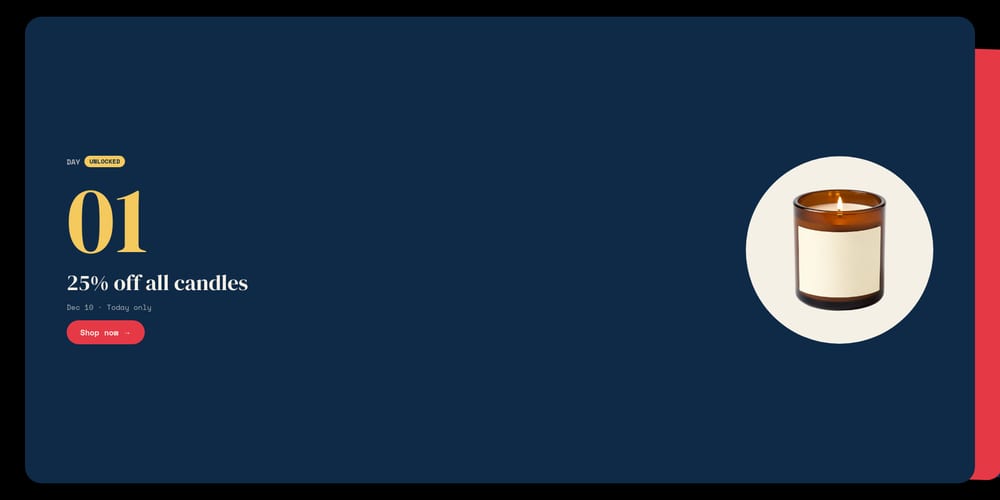
12 Days of Deals - An advent-style campaign with twelve stacked cards. Unlocked days show the deal, the next day counts down to its unlock, and the rest stay locked behind a blurred product and a "Remind me" link.
#Last Shipping Day
Last Shipping Day - The urgency banner every store runs in mid-December. "Order by Dec 18 for Christmas delivery" with a boxed countdown, plus two follow-up slides for express shipping and digital gift cards once the cutoff passes.

#Gift Card Promo
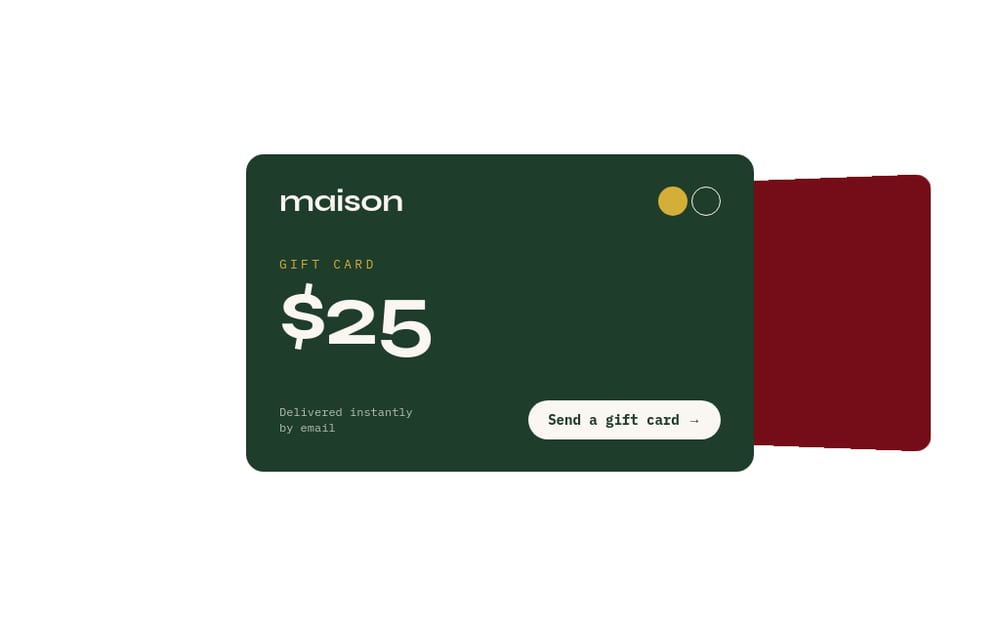
Gift Card Promo - Four gift cards built entirely from blocks, stacked with the Cards Stack effect. Almost no images, so it takes a brand's colors in minutes.
#More Holidays
#Singles' Day 11.11
Singles' Day 11.11 - The first big sale of the season. A giant 11.11 in hot pink, a boxed countdown, a spend-more-save-more ladder, and two product deals.

#Small Business Saturday
Small Business Saturday - "Shop small." Warm kraft and terracotta, maker and studio photography, and a free-gift offer. For indie stores that want to stand apart from Black Friday instead of competing on discounts.

#Hanukkah - Festival of Lights
Hanukkah - Festival of Lights - Eight nights of gifts in deep navy, silver, and candle gold. A candlelit menorah cover, a night-by-night candle count offer, free gift wrap, and a greeting slide.

#New Year Sale
New Year Sale - Champagne and midnight. A rolling "2027" between rows of confetti, a live countdown to midnight that switches to "Happy New Year!", a Boxing Day slide, and a promo code.

#Year-Round Promotions
#Announcement Bar Ticker
Announcement Bar Ticker - The thin bar above every store header. Four rotating messages: free shipping, a promo code, a live sale countdown, and a shipping deadline link. Almost every store needs one, and hardly any slider tool ships one.

#Promo Code Reveal
Promo Code Reveal - Coupons as tickets. Each slide is a perforated ticket with an offer, the conditions, and a code, and the Tinder effect lets visitors swipe through them like a stack of coupons.

#Flash Sale
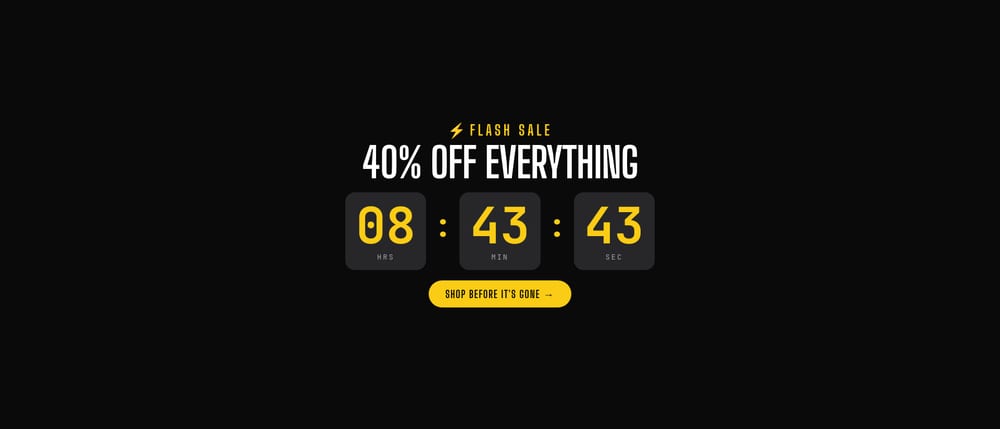
Flash Sale - The countdown is the design. Giant boxed hours, minutes, and seconds in electric yellow on black, a hero product deal, and a last-call slide. Holiday-neutral, so it works all year.
#Bundle & Save
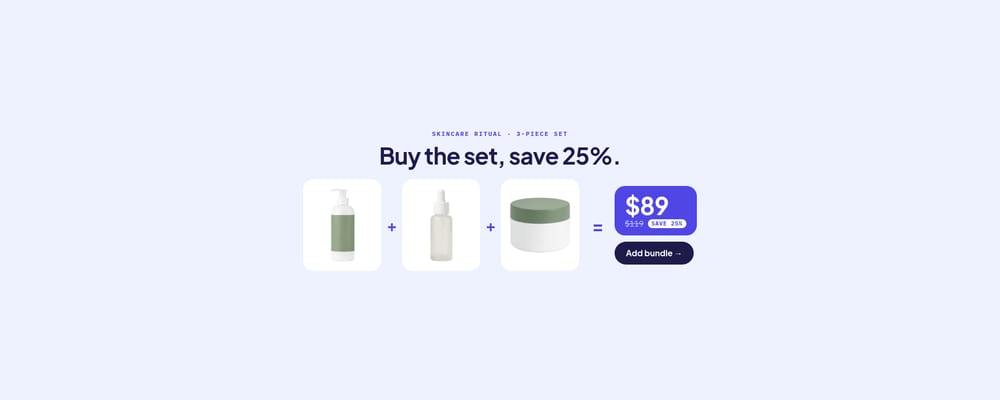
Bundle & Save - A visual equation every shopper understands. Three product tiles joined by "+" and "=" a bundle price, with the old price struck through and a pulsing savings badge.
#Template Countdowns Never Start Expired
Countdowns in these templates are set relative to the moment you open the template - a few hours out for flash sales, up to a few weeks for seasonal ones. The gallery never shows a timer stuck at zero, even after the holidays pass. Before you publish, open the countdown text and set Ends at to your real sale date.
#Getting Your Banner Live
- Open your dashboard at /projects
- Click New Project and pick one of the holiday or sale templates
- Swap in your product photos, prices, percentages, and promo codes
- Set Ends at on every countdown text to your sale's end date and timezone
- Point each CTA link block at your collection, product, or checkout page
- Publish
Where it goes next depends on your platform:
- Shopify - install the Swiper Studio app and add the slider to any page as a native theme block
- Webflow - use Paste into Webflow to drop it in as native elements
- Squarespace, Wix, WordPress, or any site - publish to CDN and paste the embed snippet
- Your own codebase - export to React, Vue, Next.js, HTML, or Web Components
#Works With AI Agents
The MCP server supports countdowns too. Connect an agent, open Doorbusters, and ask it to swap in your four deals with end times two hours apart. Or open Black Friday Blackout and have it reskin the whole banner to your brand color and point the countdown at 9am in your store's timezone. See the MCP docs for the countdown fields.
#What Is Next
Countdowns are the first step toward more time-aware sliders. If there is a sale mechanic or a holiday you would like to see as a template, let us know.
Browse the full catalog at Templates and get your holiday banners ready before the rush.
#Related
- 15 New Bold Typography Templates in Swiper Studio
- 25 New Commerce, Hero, and Editorial Templates in Swiper Studio
- Introducing Swiper Studio for Shopify
- Paste into Webflow
- Element Animations in Swiper Studio
- MCP Server - Let AI Agents Build Your Sliders
- Swiper Studio for E-commerce Stores
- Swiper Studio for Shopify