
Product Showcase - Dark Template
First impressions sell products. When a shopper lands on your page and sees a single product presented on a rich dark background with a large hero image, clear pricing, and a prominent call-to-action, the message is immediate: this is something worth paying attention to.
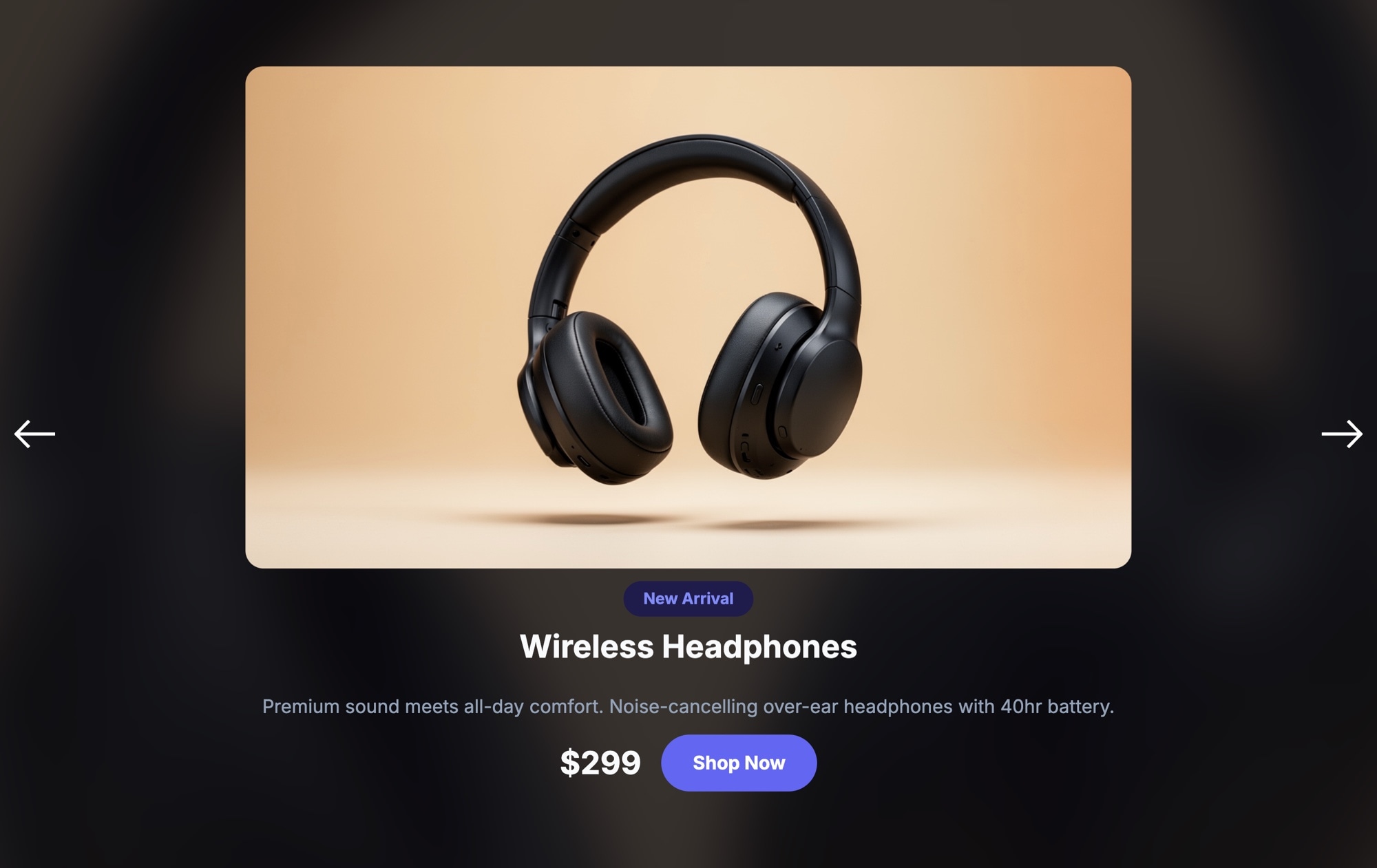
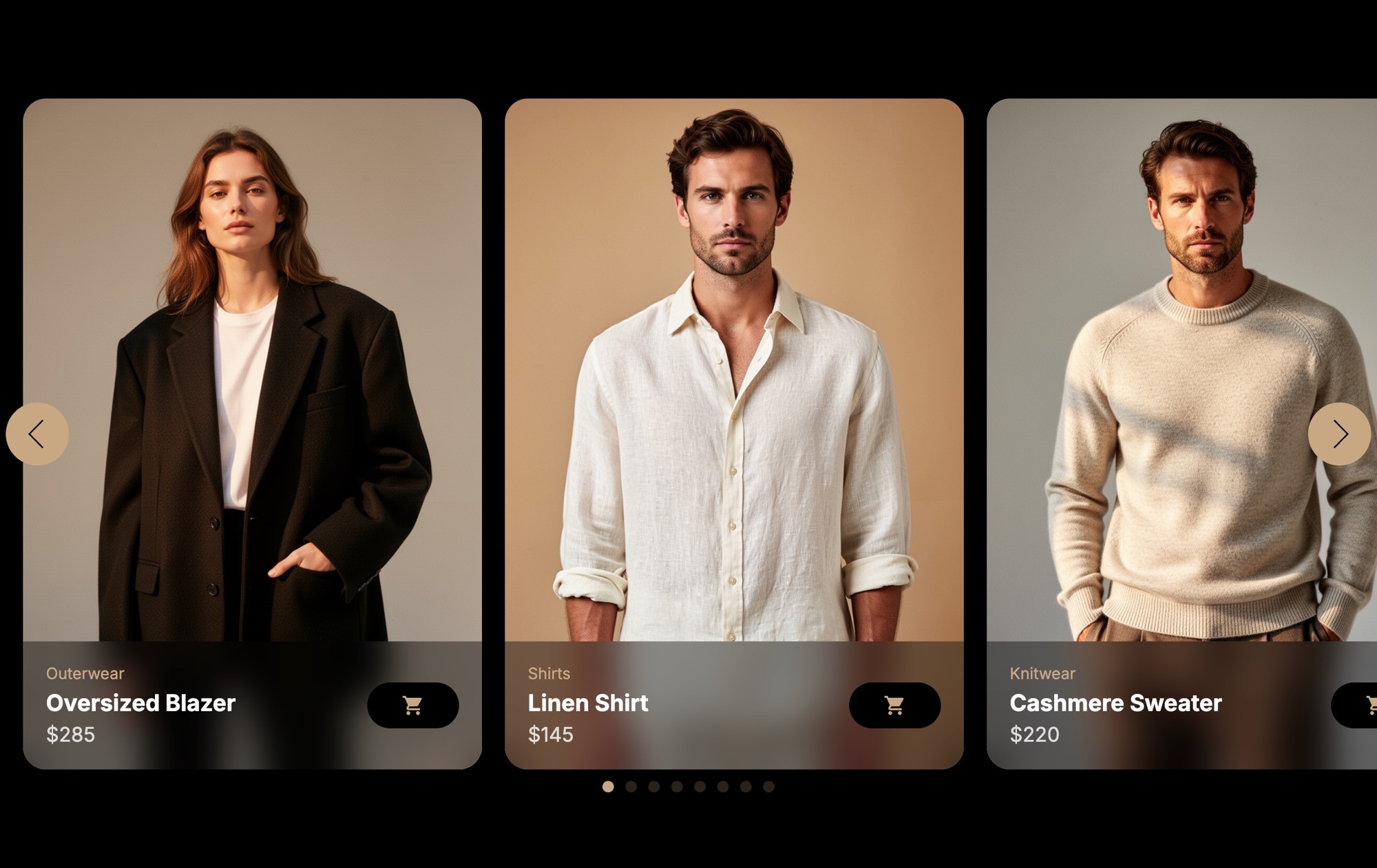
The Product Showcase - Dark template is built for exactly that moment. It places your product front and center on a dark canvas with a warm gradient card, a "New Arrival" badge, product title, description, price, and a bold purple "Shop Now" button. Navigation arrows on each side let visitors browse through featured items at their own pace. The dark background draws the eye to the product image, reduces visual noise, and gives the entire presentation a premium, editorial feel.
#What Makes This Template Stand Out
Dark Background for Visual Impact
The dark color scheme eliminates distractions and puts 100% of the visual focus on your product image. Colors pop, details stand out, and the overall layout feels elevated and intentional - ideal for premium brands, electronics, fashion accessories, and luxury goods.
Centered Product Hero Layout
The product image sits large and centered on a warm gradient card, giving it the kind of prominence you would see in a magazine spread or a high-end retail display. The layout communicates quality before the visitor reads a single word.
Built-In Pricing and CTA
Price and a Shop Now button are part of the slide layout, not afterthoughts. Visitors see the product, understand the cost, and have a clear path to purchase - all within one viewport. No scrolling required.
Navigation Arrows for Browsing
Side arrows let shoppers move between products without swiping or scrolling. On desktop this feels clean and intentional. On mobile, touch swiping works automatically alongside the arrows, so every visitor gets a natural browsing experience.
#Who Should Use This Template
This template is a strong fit if you sell products where visual presentation matters. Electronics, headphones, watches, sneakers, skincare, premium accessories - anything that benefits from being seen in isolation against a clean, dark backdrop. The single-product-per-slide format forces focus. It works as well for a product launch landing page as it does for a featured items section on your homepage.
It is also well suited for brands that lean into dark-mode aesthetics. If your website already uses a dark color scheme, this template drops right in without clashing. And because every color, font, and element is editable, you can dial it in to match your exact brand guidelines.
Store owners on Shopify, WooCommerce, BigCommerce, and custom storefronts can all use this template. Build it once in Swiper Studio, publish to CDN, and embed it anywhere with a code snippet. If you work across multiple platforms or clients, the same slider exports to HTML, React, Vue, Next.js, Web Components, and Webflow.
#Best Use Cases
- ✓Product launch pages where a single hero item needs maximum visual impact
- ✓Featured product sections on e-commerce homepages
- ✓Premium or luxury brand product presentations
- ✓New arrival spotlights with pricing and direct-to-cart buttons
- ✓Electronics and tech product showcases on dark-themed websites
- ✓Campaign landing pages for seasonal promotions or limited editions
- ✓Portfolio-style product displays for designers and makers
#How to Customize
- Open the template in Swiper Studio by clicking Use This Template above1
- Replace the default product image with your own - click the image element and upload or paste a URL2
- Update the badge text, product title, description, and price to match your item3
- Change the Shop Now button text if needed, and set the link destination to your product or cart page4
- Adjust colors to match your brand - background shades, button color, text colors, and the gradient card are all editable5
- Add more slides if you want to feature multiple products in the same carousel6
- Preview on different screen sizes using the responsive breakpoint controls, and adjust layout for mobile if needed7
- Publish to CDN and copy the embed snippet, or export as HTML, React, Vue, or your preferred format8
#Frequently Asked Questions
- Can I change the product image, price, and button text?
- Yes. Every element in the template is fully editable in the visual editor. Click the product image to swap it, select the price text to update the value, and edit the button label and link destination. You can also change colors, fonts, and spacing to match your brand.
- Does this template work on mobile devices?
- Yes. The template is responsive by default with built-in breakpoints for mobile, tablet, laptop, and desktop. You can adjust font sizes, image sizing, button placement, and spacing independently at each breakpoint to ensure the product showcase looks polished on every screen.
- Can I add more slides to feature multiple products?
- Absolutely. The template starts with a single product slide, but you can duplicate it or add new slides to create a multi-product carousel. Each slide can have its own image, title, description, price, and call-to-action button.
- How do I embed this slider on my Shopify or e-commerce store?
- After customizing the template, publish it from Swiper Studio. On Shopify, install our official Shopify app and add the slider to any page as a native theme block from the theme editor. On WooCommerce, paste the CDN embed snippet into a Custom HTML block - the same snippet works on any platform that supports embed code.
- What export formats are available for this template?
- You can export the slider as clean HTML, a React component, a Vue component, a Next.js project, a Web Component, or paste it into Webflow as native elements. You can also publish directly to CDN for iframe or script-based embedding on any website.
#Related Templates

#Related Resources
- Swiper Studio for Product Carousels
- Swiper Studio for E-commerce Stores
- Swiper Studio for Shopify
- Swiper Studio for Landing Pages
Ready to Build Your Slider?
Pick a template, customize it visually, and export production-ready code to React, Vue, Next.js, HTML, Webflow, and more. No coding required.








