
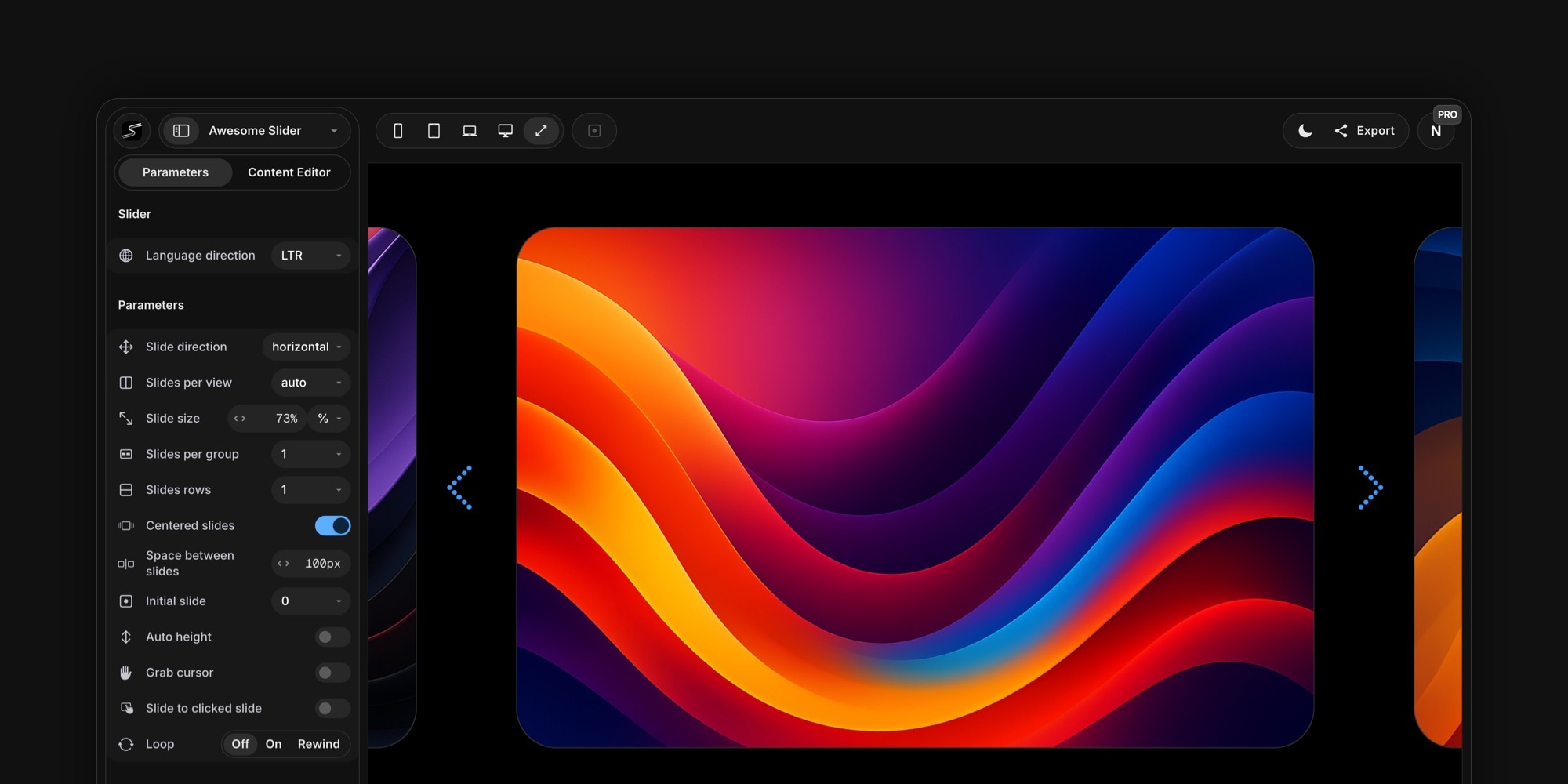
#Swiper Studio V2: The Biggest Update Yet
After months of work, we are excited to announce the largest update in Swiper Studio's history. V2 is a top-to-bottom overhaul - a completely redesigned editor, a wave of new features, and a new pricing model that makes Swiper Studio more accessible than ever.
This is not an incremental update. It is a new chapter for the product.
#All New Design
The entire editor has been redesigned from the ground up. The new interface is cleaner, more refined, and easier to navigate - with improved typography, updated controls, and a more polished visual language across every panel.
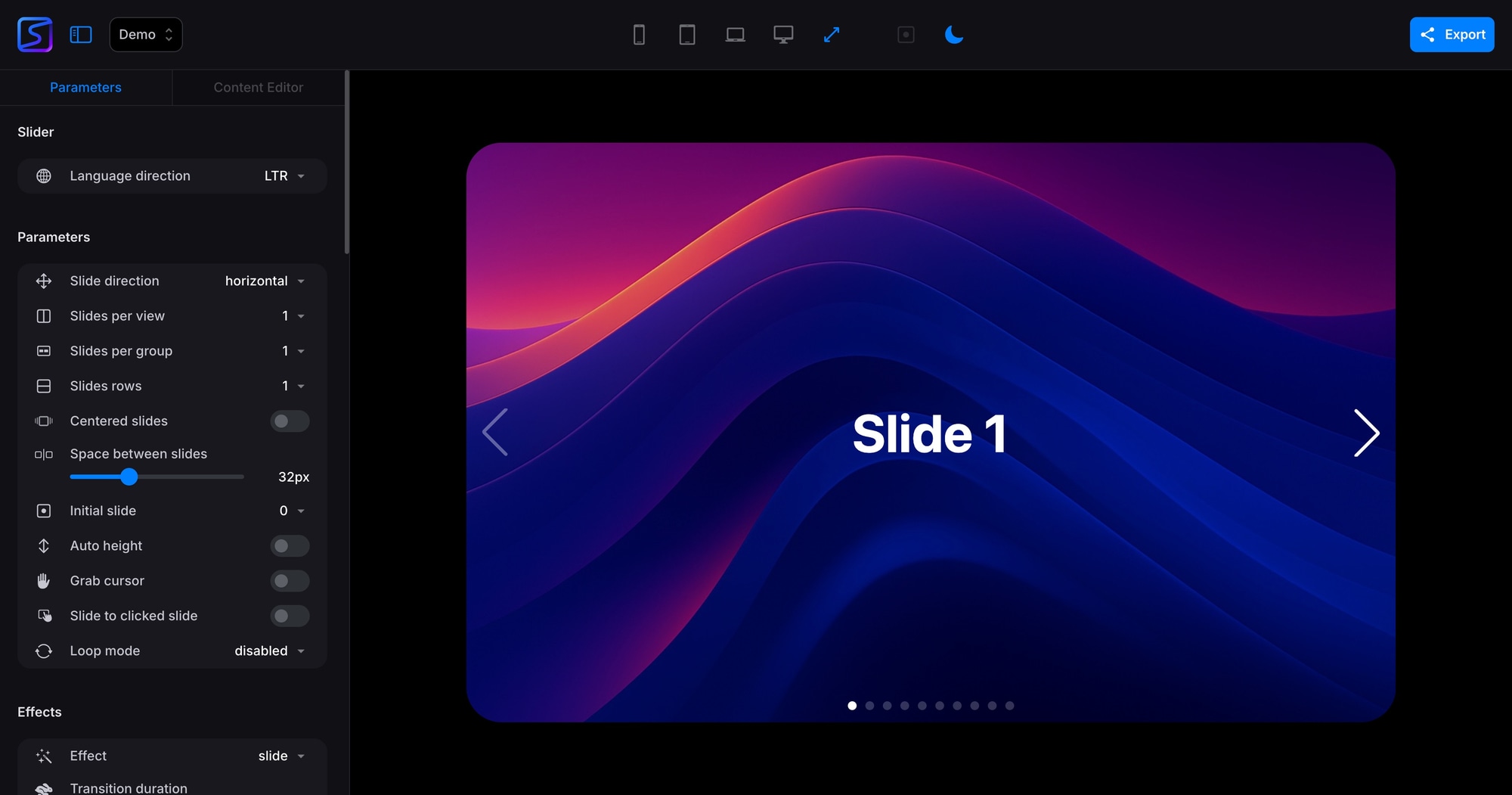
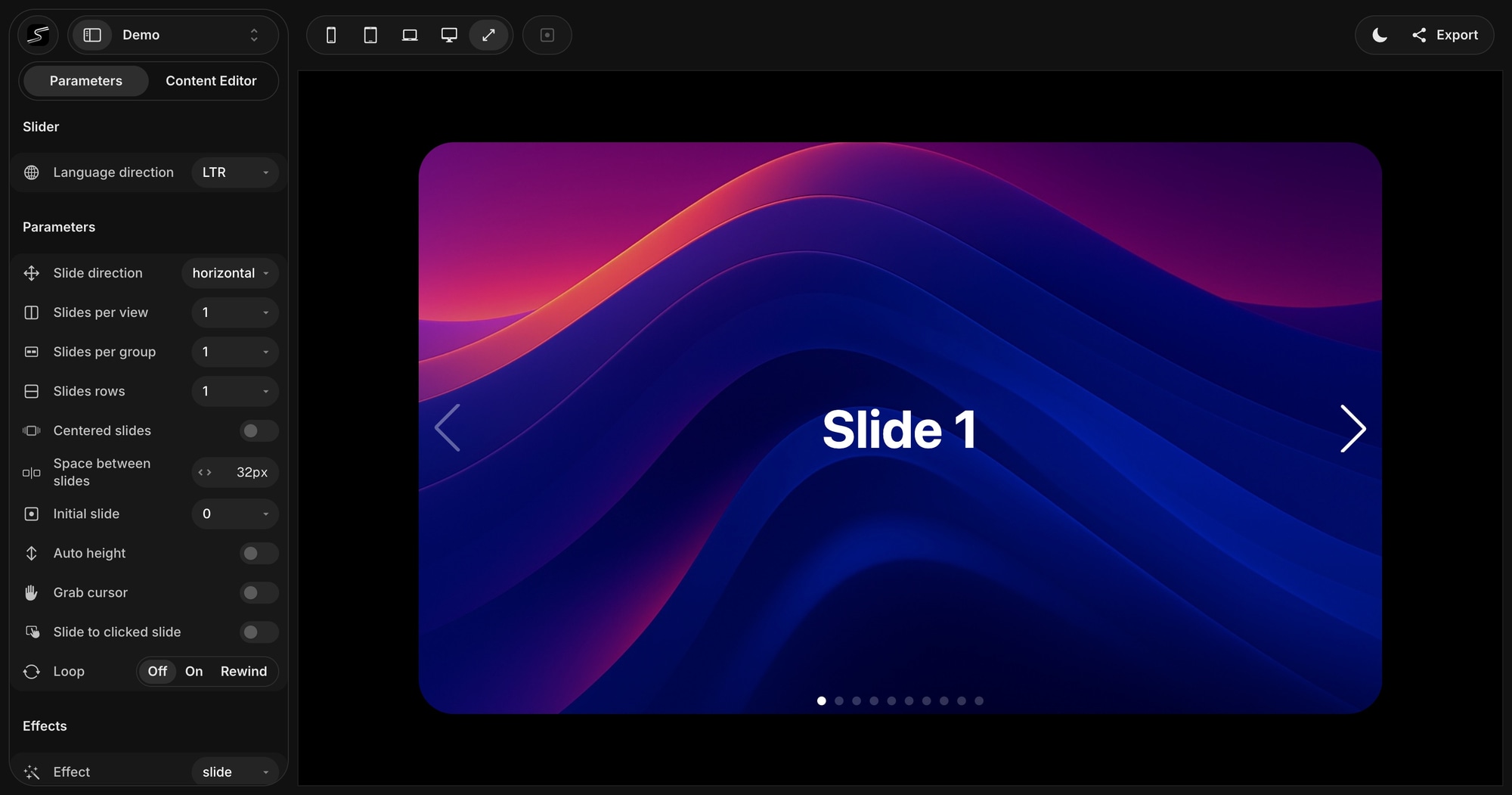
Controls like Loop mode now use segmented buttons instead of dropdowns. Numeric inputs are more compact. The sidebar feels lighter and faster to work with. Every detail has been reconsidered to get out of your way and let you focus on building.
#Keyboard Shortcuts
Power users, this one is for you. Swiper Studio now supports keyboard shortcuts for the most common actions. Press Cmd + / to see the full list.
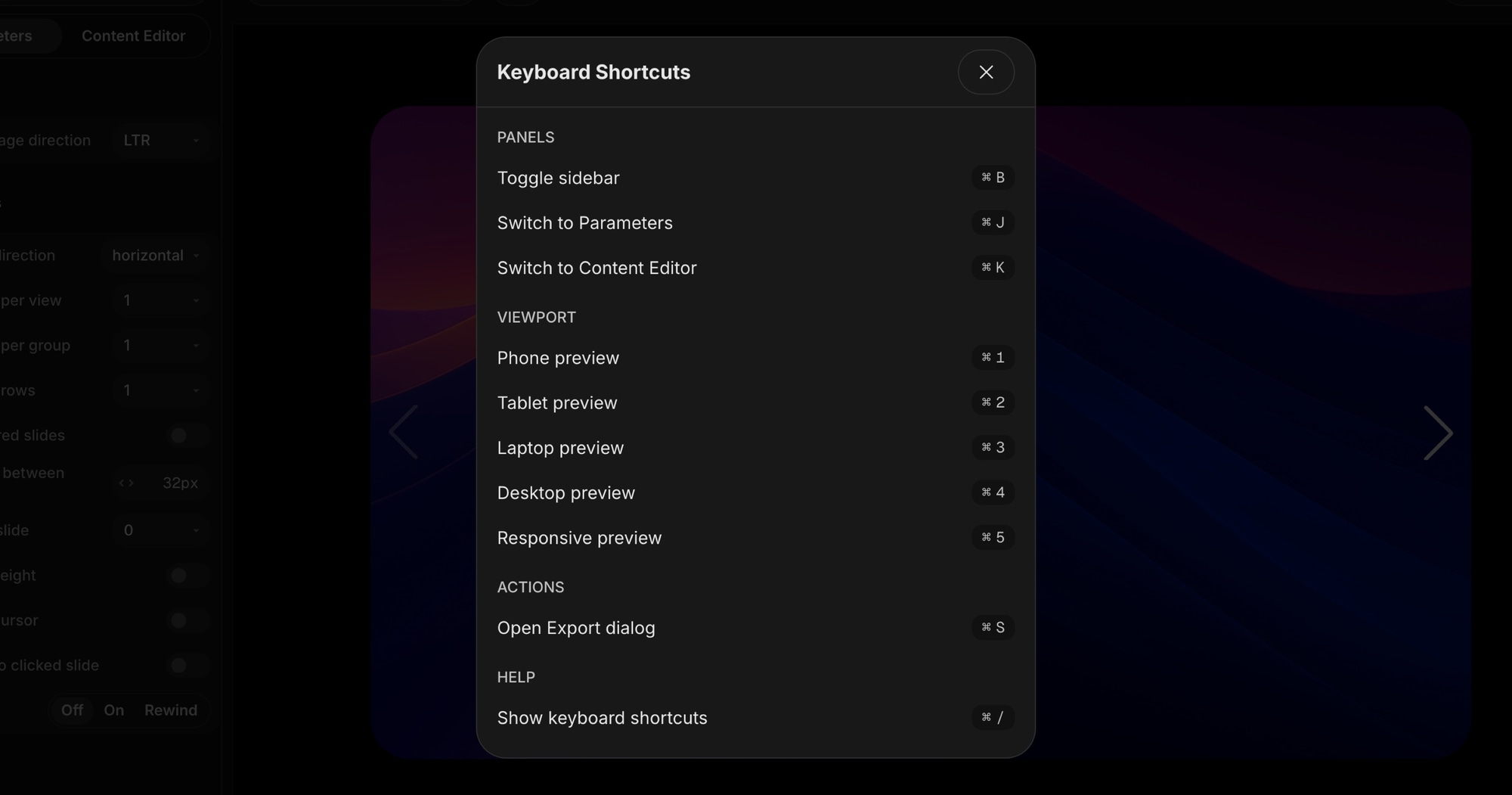
Available shortcuts include:
Cmd + B- Toggle sidebarCmd + J/Cmd + K- Switch between Parameters and Content EditorCmd + 1throughCmd + 5- Switch viewport previews (phone, tablet, laptop, desktop, responsive)Cmd + S- Open Export dialog
#Element Animations
Every child element in your slides - text, images, videos, and blocks - can now animate into view with a rich set of built-in effects. Choose from entrance animations like Fade, Pop, Drop, and Twirl, infinite loops like Spin, Bounce, and Pulse, or text-only effects like Typewriter, Letter Blur, and Number Roll.
Fine-tune each animation with delay, duration scale, range scale, and reverse controls. Stagger multiple elements on the same slide for choreographed reveal sequences - all without writing any code.
When your project uses animations, Swiper Studio automatically bundles a smart Animation Controller module with your exports that handles play, pause, and reset logic based on slide visibility.
Read the full details in Element Animations in Swiper Studio.
#Video Support
You can now add video content to your slides - either as a full background or as a standalone child element alongside text, images, and blocks.
Background videos support Cover and Contain fit modes, blur, opacity, and looping. Video child elements get full control over sizing, positioning, borders, animations, parallax, and responsive breakpoints.
A built-in Video Controller module automatically plays videos when their slide enters the viewport and pauses them when it leaves - muted and inline for smooth autoplay across all browsers and devices.
Read more in Video Support in Swiper Studio.
#Responsive Style Breakpoints
Breakpoints used to control only slider-level parameters like slides per view and spacing. Now, every slide and every content element inside it - text, images, videos, and blocks - supports per-breakpoint style overrides.
Switch font sizes, change layouts from row to column, adjust padding, swap colors, and resize elements - all per viewport width. Design a slide that looks great on a 1920px desktop and a 375px phone without writing a single media query.
Read the full breakdown in Responsive Style Breakpoints for Slides and Content.
#MCP Server: Let AI Agents Build Your Sliders
This is one of the most ambitious features we have ever shipped. Swiper Studio now includes a built-in MCP (Model Context Protocol) server that gives AI agents full access to create and edit slider projects through natural language.
Connect Claude, ChatGPT, Cursor, or any MCP-compatible client and describe the slider you want. The agent handles everything - creating projects, adding slides, uploading images, configuring effects, setting responsive breakpoints, and even taking screenshots to verify its own work. 24 specialized tools cover every capability the editor offers.
Read the full announcement in Introducing the Swiper Studio MCP Server.
#Next.js Export
Next.js joins the export lineup as a first-class target. Design your slider visually, then export a complete App Router project with TypeScript - components/MySwiper.tsx, app/page.tsx, package.json with Next.js 16 and React 19, and everything else you need. Three commands and your slider is live.
Read more in New Export Option: Next.js.
#Navigation and Pagination Updates
Navigation arrows now come with 14 icon styles - from thin and minimal to bold and filled. You can control button size and side offset for precise placement.
Pagination got the same level of control with configurable bullet size, gap, progressbar height, and offset from the slider edge.
Read the details in Navigation and Pagination Updates.
#CodeSandbox Export Removed
With V2, we have removed the CodeSandbox export and preview integration. The platform has introduced significant limitations over the past year - restricted free usage, slower load times, and reduced reliability - that made it increasingly difficult to deliver a smooth experience. Rather than ship something unreliable, we decided to drop it entirely.
The good news: Swiper Studio now exports to more formats than ever - HTML, React, Vue, Web Component, Next.js, and Webflow - and you can publish directly to CDN or download as a ZIP. These options give you more control and do not depend on any third-party sandbox service.
#New Pricing
We have rethought our pricing to give you more options.
Previously, Swiper Studio was available only as a one-time Lifetime purchase. Starting with V2, we are introducing an Annual plan at $49/year - roughly $4/month - alongside the Lifetime plan at $99.
Both plans include every feature: all premium effects, 120+ templates, unlimited projects, asset library, all export formats, Paste into Webflow, CDN publishing, iframe embed, image and PDF export, MCP server access, and email support. The Lifetime plan additionally includes the desktop app and never expires. `
#V2 Launch Offer: 50% Off
To celebrate the biggest update in Swiper Studio history, we are running a 50% discount on all plans until April 30, 2026.
- Annual -
$49$24.50/year (~$2/month) - Lifetime -
$99$49.50 one-time
This is the best deal we have ever offered. If you have been thinking about getting Swiper Studio, now is the time.
Get started at studio.swiperjs.com
#Everything Else
V2 also includes dozens of smaller improvements and bug fixes across the entire app - smoother interactions, better performance, and a more polished experience everywhere you look.
Thank you for building with Swiper Studio. We cannot wait to see what you create with V2.








