

#Video Support in Swiper Studio
Video content grabs attention like nothing else. Whether it's a product demo, a hero banner, or an immersive storytelling experience - video makes your sliders come alive. With the latest Swiper Studio update, you can now add videos directly to your slides as backgrounds or as standalone child elements, all without writing a single line of code.
#Video as Slide Background
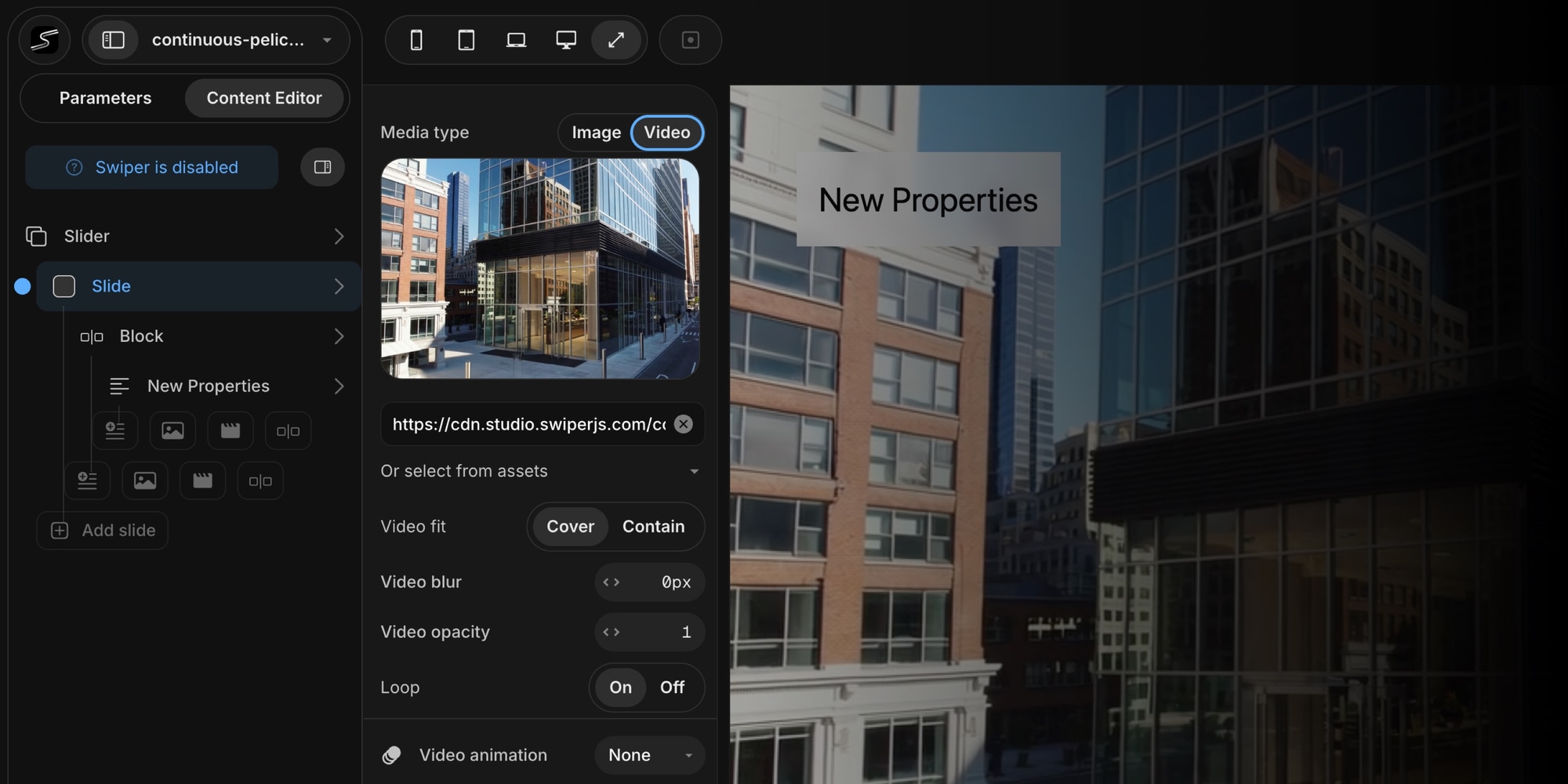
Just like you set a background image for your slide, you can now switch the media type to Video and upload or link a video file. The video becomes the full background of your slide, playing behind any text, images, or other content you layer on top.
Background video settings include:
- Video Fit - Choose between Cover (fills the entire slide) and Contain (fits within the slide bounds)
- Video Blur - Apply a blur effect from 0 to 50px for a cinematic depth-of-field look
- Video Opacity - Fine-tune the opacity to let background colors or gradients blend through
- Loop - Toggle looping on or off depending on your use case
You can upload MP4, WebM, or OGG files directly, paste a video URL, or pick from your Asset Library.
#Video as a Child Element
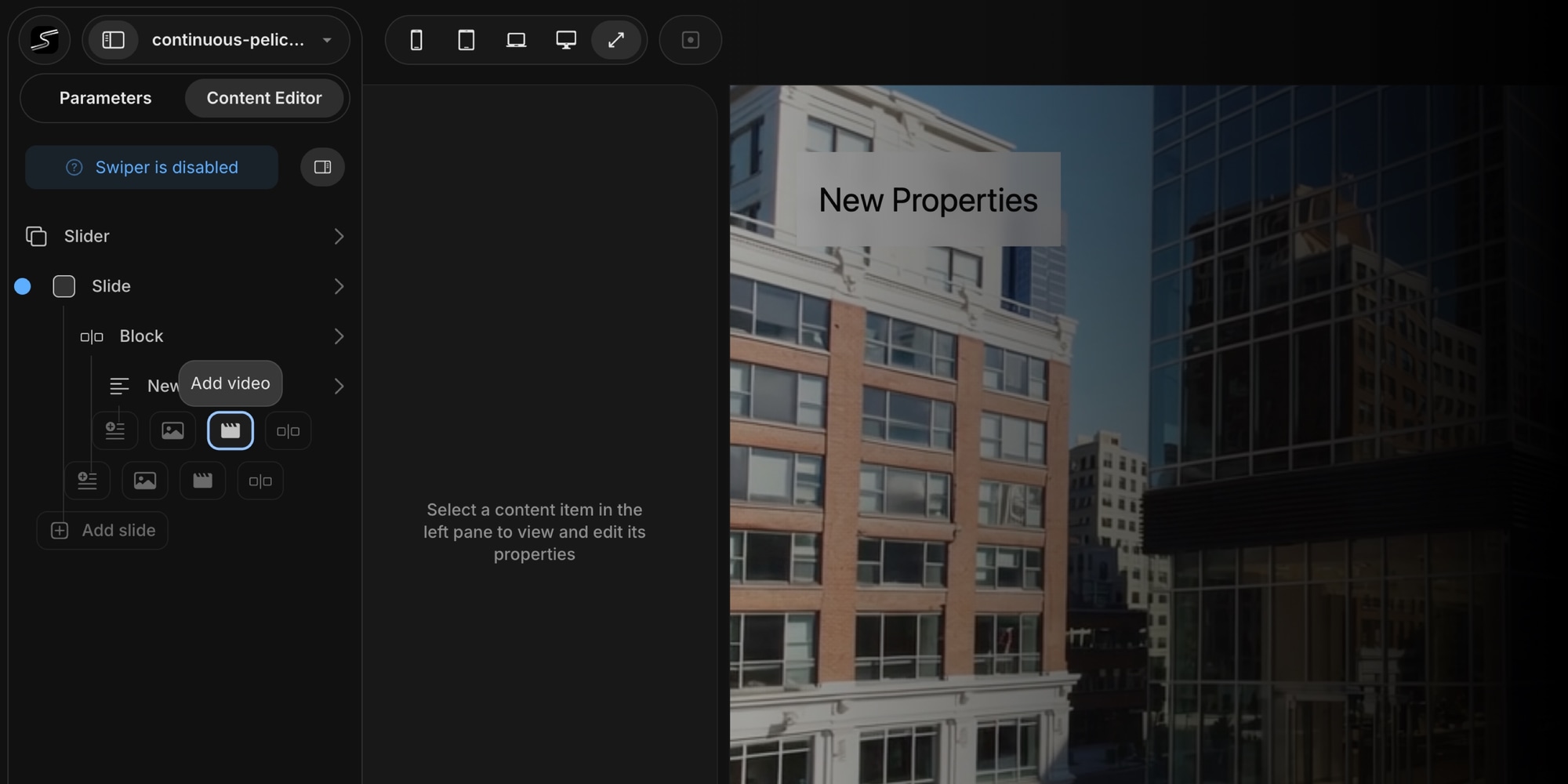
Beyond backgrounds, you can add video as a standalone child element inside any slide - right alongside text, images, and blocks. This is perfect for placing a product video next to a description, embedding a tutorial clip within a carousel, or creating rich media layouts.
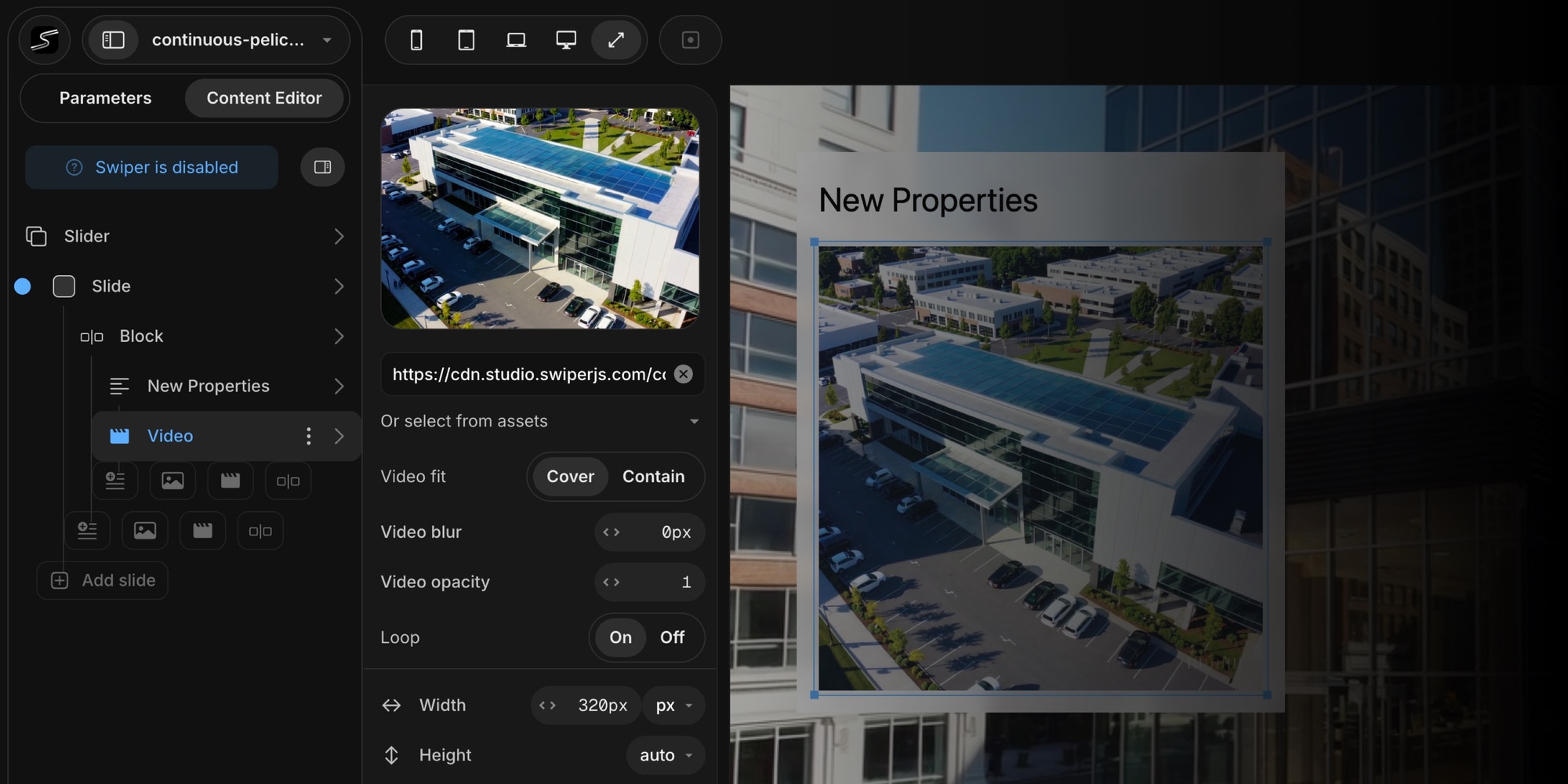
Video child elements come with full control over sizing, positioning, and styling:
- Width and Height - Set to auto, relative (percentage), or fixed (pixel) values
- Video Fit - Cover or Contain, just like background videos
- Blur and Opacity - Same visual controls for consistent design
- Loop - Control playback behavior per element
- Border Styling - Add borders with custom color, width, and radius
- Animations - Apply entrance animations to your video elements
- Parallax - Add parallax scrolling effects for depth
- Responsive Breakpoints - Adjust video size and visibility per screen size
#Smart Video Controller
Here's where it gets interesting. When your project includes any video elements, Swiper Studio automatically includes a custom Video Controller module in your exports. This module intelligently manages video playback based on slide visibility:
- Videos play automatically when their slide enters the viewport
- Videos pause and reset when their slide leaves view
- All videos start muted with inline playback enabled, ensuring smooth autoplay across all browsers and mobile devices
This means your exported sliders have polished, professional video behavior out of the box - no custom JavaScript required. The video controller works seamlessly across all export formats: HTML, React, Vue, and Web Components.
#Use Cases
Video support opens up new possibilities for your Swiper sliders:
- Product Showcases - Show products in action with looping demo videos
- Hero Banners - Create immersive landing page headers with full-bleed background video
- Portfolios - Present video work alongside stills in a unified carousel
- Tutorials and Onboarding - Walk users through steps with embedded video clips
- Event and Marketing Pages - Highlight event footage or promo reels in dynamic sliders
#Get Started
Head over to Swiper Studio, open any project, and select a slide in the Content Editor. Switch the media type to Video - or add a new video child element - and start building.
Happy creating!








