
Products - Tech Devices Template
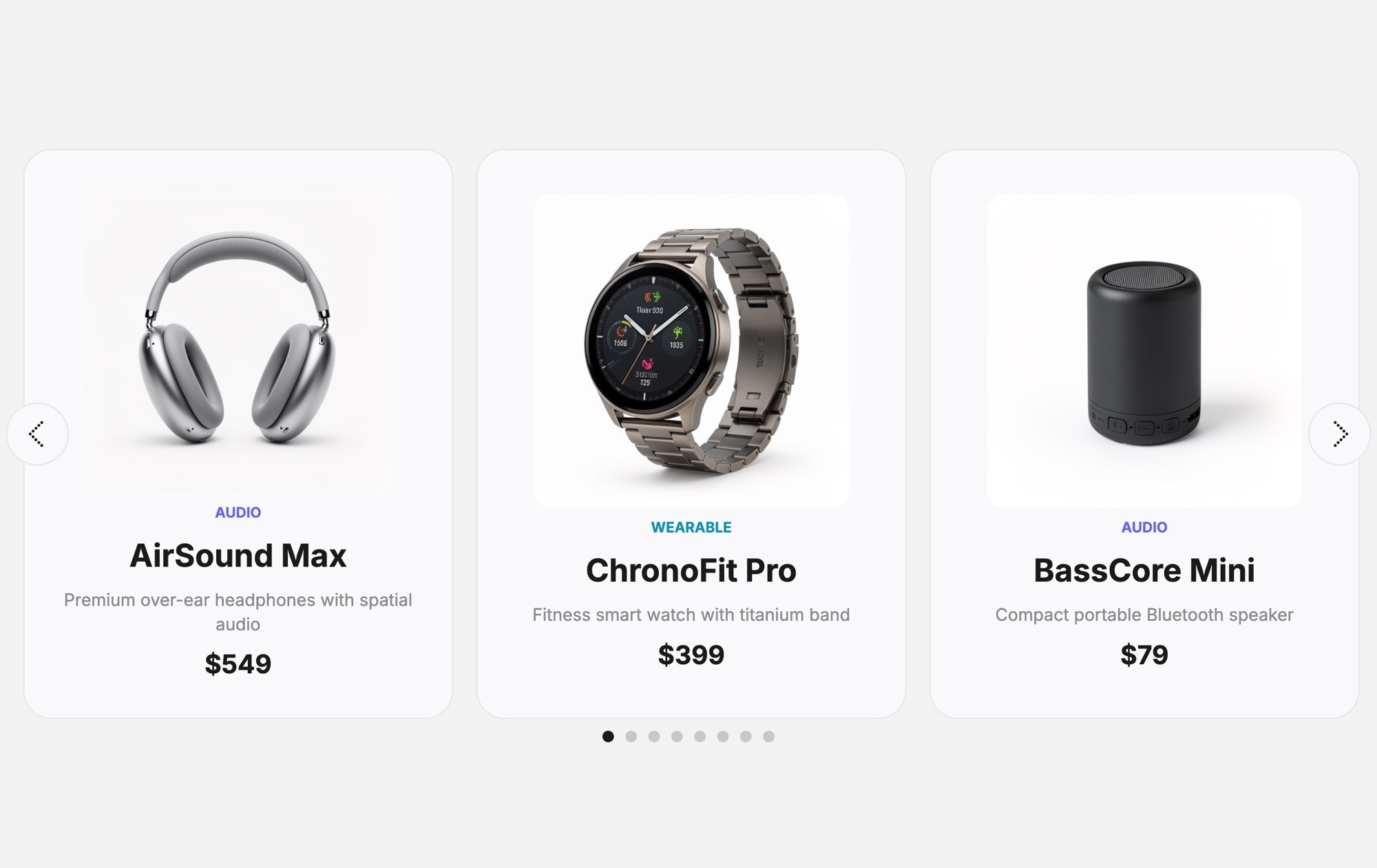
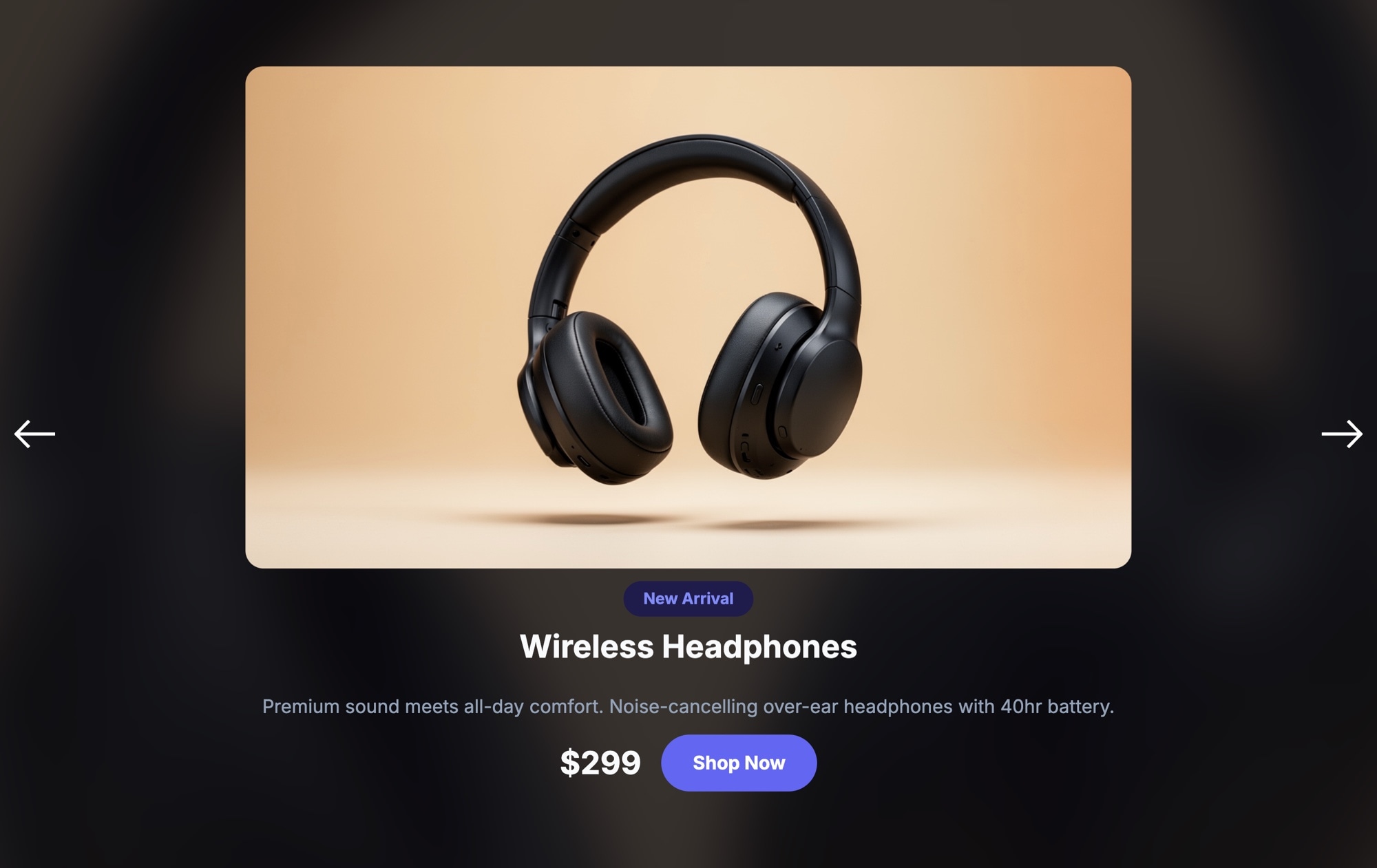
Tech products need space to breathe. When you are selling headphones, smartwatches, or speakers, shoppers want to see the device clearly — every curve, every detail, every finish. The Products - Tech Devices template gives each product a generous card with a large image, category badge, product name, a short description, price, and pagination dots that let visitors browse your lineup.
The clean, light background keeps things modern and approachable. Three product cards sit side by side on desktop, each with enough room for a high-quality device photo that does the selling. Category badges like "Audio" and "Wearable" help visitors understand what they are looking at instantly. The description text adds just enough context to spark interest without overwhelming, and the price is prominent enough to set expectations early.
#What Makes This Template Stand Out
Large Product Images That Sell
Each card dedicates the majority of its space to the product image. For tech devices where industrial design is a key selling point — headphones, watches, speakers, keyboards — this large-format presentation lets the product speak for itself. Shoppers can see materials, colors, and proportions clearly.
Clean Light Background
The white and light-gray color scheme feels modern and trustworthy, matching the aesthetic that tech shoppers expect from brands like Apple, Sony, and Bose. It also ensures your product photos are the focal point without competing with the background for attention.
Category Badges for Quick Scanning
Each card includes a colored category badge — Audio, Wearable, Accessories — that helps visitors filter mentally as they browse. This small detail adds structure to your product carousel and makes it easier for shoppers to find what they are looking for.
Description Text for Context
A short product description below the name gives shoppers just enough information to understand the product's value proposition. This is especially important for tech devices where features and specs differentiate similar-looking products.
Pagination Dots for Navigation
Pagination dots below the carousel give visitors a clear sense of how many products are available and where they are in the sequence. This is a cleaner alternative to navigation arrows for product listings and works well on both desktop and mobile.
#Who Should Use This Template
This template is designed for consumer electronics brands, tech accessory companies, and gadget retailers that want a polished way to present products on their website. Whether you are featuring your full product lineup, highlighting new releases, or creating a category-specific browsing section, the card carousel format gives each device the visual real estate it needs to make an impression. The clean layout works for everything from premium headphones to budget-friendly accessories.
Shopify and e-commerce store owners selling tech products will get immediate value from this template. Standard product grids often shrink device images to thumbnails, which strips away the visual appeal that drives purchases. This carousel template gives each product a full card with a large image, description, and price — the kind of presentation that makes shoppers stop scrolling and start clicking. Publish from Swiper Studio and embed the carousel on your homepage, collection pages, or landing pages.
Marketing teams and agencies building product launch pages or promotional microsites can use this template as a starting point. The card structure is ready for your product photography and copy. Customize the colors and typography to match the campaign brand, export clean code, and integrate it into any frontend stack. It is faster than building a custom carousel from scratch and looks better than most off-the-shelf slider plugins.
#Best Use Cases
- ✓Consumer electronics brand websites showcasing product lineups across categories
- ✓Shopify and WooCommerce stores featuring tech products with images, descriptions, and prices
- ✓Product launch pages for new devices — headphones, smartwatches, speakers, keyboards
- ✓Category browsing sections on e-commerce homepages — audio, wearables, accessories
- ✓Comparison-style carousels where shoppers can swipe between products and see details side by side
- ✓Tech review and affiliate sites displaying featured products with pricing information
#How to Customize
- Open the Products - Tech Devices template in Swiper Studio by clicking 'Use This Template' above1
- Replace the default device images — select each card's product photo and upload your own high-quality device images2
- Update the text content on each card — edit the category badge, product name, description, and price to match your products3
- Adjust the color scheme if needed — change badge colors, background tones, text colors, and card styling to fit your brand4
- Add or remove product slides — duplicate an existing card to maintain consistent styling, then swap in new product details5
- Configure carousel settings — adjust slides per view, card spacing, pagination style, autoplay, and loop behavior6
- Preview across breakpoints — optimize the layout for mobile, tablet, and desktop to ensure product images and text look sharp on every screen7
- Export to your preferred format (HTML, React, Vue, Next.js, Web Component, or Webflow) or publish to CDN and embed on your store8
#Frequently Asked Questions
- Can I change the product images and descriptions?
- Yes. Every element in the template is fully editable. Click any product image to replace it with your own device photo, select text elements to update product names, descriptions, category badges, and prices. You can also upload images directly or paste URLs from your existing product image hosting.
- How do I adjust the number of products visible at once?
- In the Swiper Studio editor, you can set the slides-per-view value for each breakpoint. For example, show one product on mobile, two on tablet, and three on desktop. You can also adjust the spacing between cards and enable or disable partial slide previews at each breakpoint.
- Can I link each product card to a product detail page?
- Yes. You can wrap any element or the entire card in a link block that navigates to your product page, cart, or any URL. This lets shoppers click through to purchase directly from the carousel without additional steps.
- Does this template support autoplay and looping?
- Yes. You can enable autoplay with a configurable delay, set the carousel to loop continuously, and add pause-on-hover behavior. These settings are accessible in the editor panel under the Swiper configuration options.
- What export formats are available?
- You can export the slider as standalone HTML, a React component, a Vue component, a Next.js project, a Web Component, or paste it into Webflow as native elements. You can also publish directly to CDN for iframe or script-based embedding on any website.
#Related Templates


#Related Resources
Ready to Build Your Slider?
Pick a template, customize it visually, and export production-ready code to React, Vue, Next.js, HTML, Webflow, and more. No coding required.








