
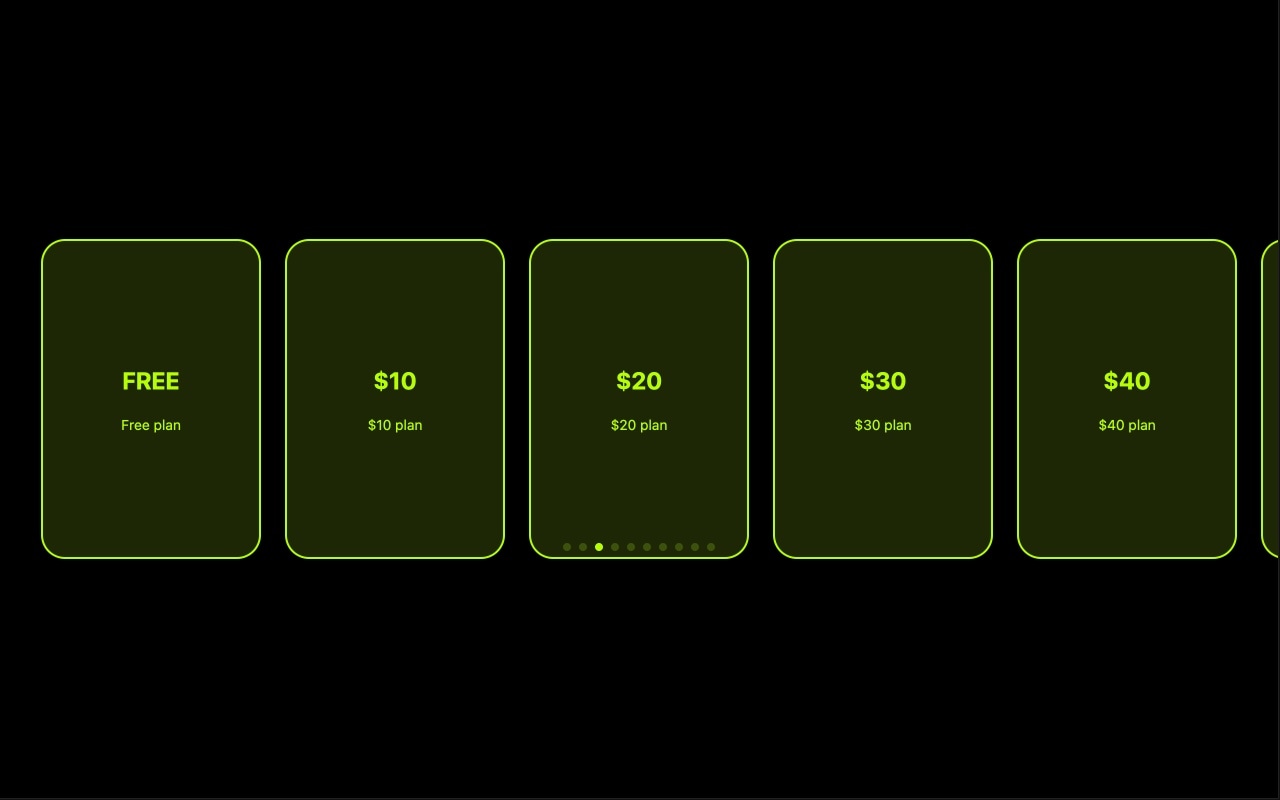
Neon Cards Slider with Custom Colors
A bold, eye-catching card slider where each slide pops with its own vibrant neon background color. The template demonstrates how strong, saturated colors can transform simple content cards into a visually striking browsing experience. Each card is a self-contained color block with custom-styled content — text, headings, and supporting elements — all designed to contrast sharply against the vivid background. The effect is immediate: visitors notice this slider the moment they see it.
What makes the neon card approach powerful is its simplicity. There are no background images to source, no gradients to fine-tune, no overlays to balance. A single bold color per slide does all the visual heavy lifting. The high-saturation backgrounds create instant variety as visitors swipe through the cards — each transition is a color shift that keeps the experience fresh and dynamic. This makes the template exceptionally fast to customize (pick your colors, add your content, done) and extremely lightweight in production (solid colors load in zero milliseconds).
#What Makes This Template Stand Out
Vibrant Neon Color Backgrounds
Each slide uses a bold, high-saturation solid color as its background — electric blues, hot pinks, vivid greens, bright oranges. The colors are the centerpiece of the design, creating a visual impact that grabs attention instantly. Swiping through the cards produces a dynamic color-shifting experience that keeps visitors engaged and curious about the next slide.
Zero-Image Lightweight Design
The template achieves its visual impact entirely through color and typography — no background images required. This makes it one of the fastest-loading slider templates available. Solid color backgrounds render instantly, so the slider is visible and interactive before image-heavy alternatives have even started downloading their first asset.
Custom Content Styling Per Card
Text elements on each card are styled to complement the slide's background color — white text on dark neon, dark text on bright neon, or any combination that maintains contrast and readability. Each card can have its own typographic treatment, creating visual variety within a consistent layout structure.
High Contrast, High Readability
Neon backgrounds create natural contrast with text content. Bold colors provide a vivid backdrop that makes headlines and body text pop without needing shadows, gradients, or overlay tricks. The result is clean, readable content on every slide — even at small sizes on mobile devices where legibility matters most.
Infinitely Customizable Color Palette
Every slide's background color is independently editable through the visual color picker. Keep the neon aesthetic with your brand's color palette, or pivot entirely — pastels, earth tones, monochrome, or gradients. The card layout and content structure remain effective at any color intensity, so you are not locked into the neon look.
#Who Should Use This Template
If you are a web designer or creative professional who wants a slider that makes a statement without relying on photography, the neon cards template is your tool. Color-driven design is one of the fastest ways to establish visual identity and mood. Each card's background color becomes a design element in itself — you are composing with color the way a painter works with a palette. The result is a slider that feels designed and intentional, not assembled from stock photos.
Startups, SaaS companies, and tech brands will find this template ideal for feature showcases, pricing tier presentations, and onboarding carousels. Tech audiences respond to bold, clean design — vibrant colors with sharp typography signal modernity and confidence. Each card can highlight a different product feature, plan tier, or benefit, with the color shift between slides creating clear visual separation. No hero images needed, which means faster iteration when your product is still evolving.
Agencies, freelancers, and marketers building landing pages or promotional sections benefit from the template's speed and flexibility. Need a slider section for a campaign page by tomorrow? Pick five colors, write five headlines, export to your platform. The neon cards template goes from blank to production-ready faster than any image-dependent alternative because the design system is built entirely on color and type — two things you control completely.
#Best Use Cases
- ✓SaaS and tech product pages showcasing features, benefits, or pricing tiers with bold color-coded cards
- ✓Creative agency portfolios where color-driven design demonstrates visual expertise without relying on client imagery
- ✓Campaign and promotional landing pages that need a visually striking slider section with fast turnaround
- ✓Onboarding and feature tour carousels where each step is color-coded for clarity and visual progress
- ✓Event and conference sites using color-themed cards for speakers, sessions, or venue areas
- ✓Personal brand and portfolio sites where bold color choices communicate personality and creative confidence
#How to Customize
- Click "Use This Template" to open the neon cards slider in Swiper Studio's visual editor1
- Change the background color on each slide — click the slide, open the background settings, and use the color picker to set your neon tones or brand colors2
- Edit the text content on each card — update headlines, descriptions, and labels by clicking each text element3
- Adjust text colors and font styles to ensure contrast and readability against each slide's background color4
- Add content elements — insert buttons, badges, icons, or additional text blocks to build richer card layouts5
- Configure slider behavior — enable pagination, navigation arrows, autoplay, or loop mode to match your interaction needs6
- Export to HTML, React, Vue, Next.js, Web Component, or Webflow, or publish to CDN for instant embedding anywhere7
#Frequently Asked Questions
- Can I change the neon colors to match my brand?
- Yes. Every color in the template is fully customizable — slide backgrounds, text colors, border colors, and accent tones. Click any element in the visual editor to access the color picker and dial in exact hex values. You can keep the neon aesthetic with your brand colors, or tone the palette down to something more muted. The layout and structure work regardless of color intensity.
- How are the colored backgrounds applied to each slide?
- Each slide has its own background color that you set independently through the editor. The template uses solid color backgrounds rather than images, which makes it extremely lightweight and fast-loading. You can also switch any slide to an image or video background if you want to mix media types, but the neon card look is achieved through bold solid colors with contrasting text.
- Does this template work well on dark and light websites?
- The neon color palette is designed to stand out on any background. The vibrant slide colors create their own visual context, so the slider looks striking whether your site has a dark theme, light theme, or anything in between. The high-saturation backgrounds act as self-contained color blocks that contrast with their surroundings regardless of the page design.
- Can I add more content elements to each card?
- Yes. Each slide is a full Swiper slide that supports text, images, videos, buttons, badges, and nested block elements. Add headlines, descriptions, icons, CTAs, or any content structure you need. The neon background provides a vivid canvas for any type of content layout.
- What export formats does this template support?
- You can export the neon cards slider as standalone HTML, a React component, a Vue component, a Next.js project, a Web Component, or a native Webflow element. You can also publish to CDN and embed the slider on any website with a single code snippet.
#Related Templates


#Related Resources
Ready to Build Your Slider?
Pick a template, customize it visually, and export production-ready code to React, Vue, Next.js, HTML, Webflow, and more. No coding required.








