
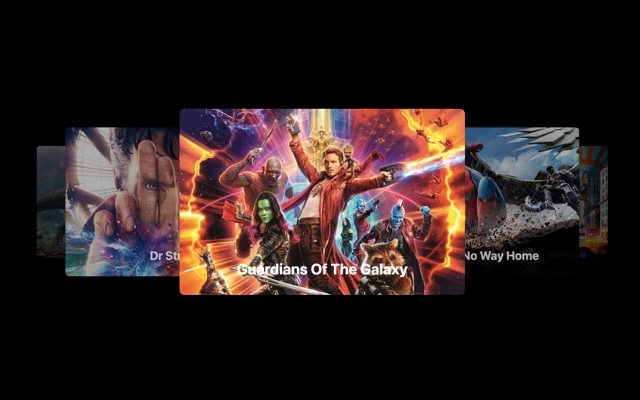
Movies Carousel Slider with Custom Content
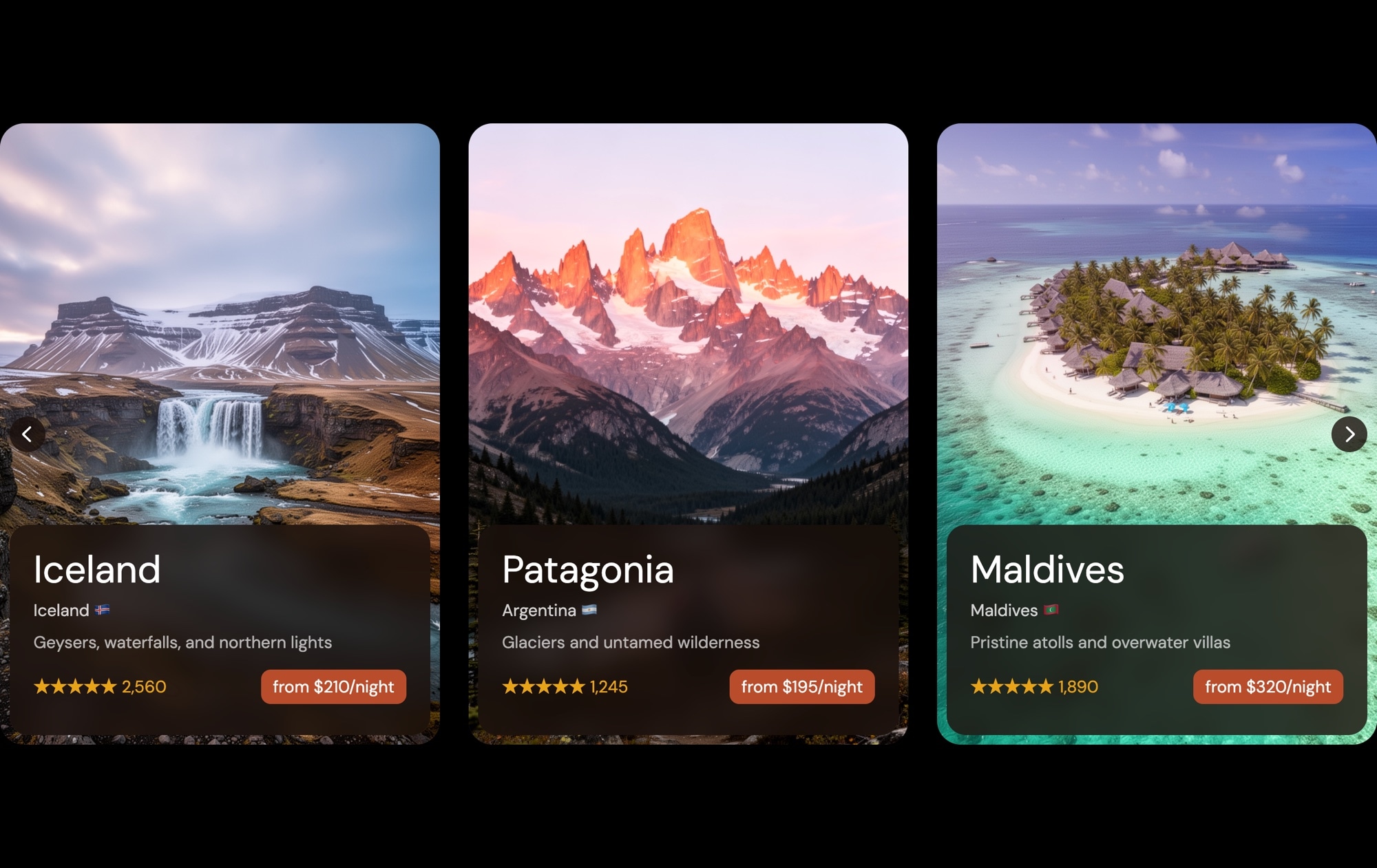
A movie-themed carousel slider that presents poster images with text overlays on a rotating 3D stage. The carousel effect gives each slide a cinematic quality — the active slide faces the viewer head-on while adjacent slides angle away into the background, creating a revolving display that feels like browsing a shelf of films at a premium video store. Custom text content on each slide — titles, descriptions, and genre details — turns each poster into a self-contained movie card that invites exploration.
The carousel rotation creates immediate visual hierarchy. The center slide commands attention at full size and zero rotation, while flanking slides recede with perspective transforms that signal "there is more to see." This depth is what separates the carousel effect from a flat horizontal scroll — it introduces spatial relationships between slides, making the browsing experience feel physical and three-dimensional. Combined with movie poster imagery and typographic overlays, the result is a slider that looks like it belongs on a streaming platform.
#What Makes This Template Stand Out
3D Carousel Rotation Effect
Slides rotate on a virtual cylinder as they move away from the center, creating a revolving display with natural perspective depth. The active slide faces forward while neighboring slides angle away, producing a spatial browsing experience that feels tactile and immersive — far more engaging than a flat image strip.
Movie Poster Layout with Text Overlays
Each slide features a full-bleed poster image with layered text content — title, description, and supporting details. The layout is designed for visual-heavy content where the image sets the mood and the text provides context. It is the same editorial pattern used by Netflix, HBO, and Apple TV+ to present their catalogs.
Custom Typography and Content Hierarchy
Text elements are pre-styled with a clear hierarchy — large titles grab attention, subtitles provide context, and body text delivers details. Font sizes, weights, and colors are all customizable, and the positioning is balanced to complement the poster imagery without competing with it.
Smooth Touch Navigation
The carousel responds to swipe gestures with fluid rotation, making it feel natural on phones and tablets. Each swipe rotates the entire carousel to bring the next slide to center position. The physics are tuned for entertainment browsing — fast enough to feel responsive, slow enough to appreciate each poster as it passes.
Dark, Cinematic Color Palette
The template uses a dark background that makes poster art and text pop with maximum contrast. Movie posters are designed to be viewed against dark surfaces — theaters, streaming apps, physical shelves. This color palette respects that convention and gives your content the same premium presentation.
#Who Should Use This Template
If you build or manage an entertainment website, streaming platform, or film blog, this template gives your content the carousel browsing experience that audiences expect from premium services. The 3D rotation adds production value to your movie listings, making each title feel curated and intentional rather than dumped into a flat grid. Visitors browse by swiping through a physical-feeling carousel, which increases engagement and time on page.
Content creators and media publishers covering movies, TV shows, books, or music can use this template to transform static recommendation lists into interactive experiences. A "Best Films of the Year" feature with a rotating carousel is dramatically more engaging than a numbered list with thumbnail images. The poster-and-text layout gives each pick enough visual space to make an impression, while the carousel keeps the collection compact and navigable.
Designers and developers building entertainment-adjacent projects — event promotions, concert lineups, game showcases, product launches — will find the carousel effect and poster layout highly adaptable. The movie theme demonstrates the format, but the underlying structure works for any content where a hero image plus supporting text equals a compelling card. Export to React, Vue, or HTML and integrate directly into your project.
#Best Use Cases
- ✓Streaming and entertainment platforms showcasing featured titles with poster art and metadata in a browsable carousel
- ✓Film blog and review site articles presenting curated movie picks with an interactive, swipeable display
- ✓Event and concert promotion pages featuring performer lineups with poster imagery and event details
- ✓Book and audiobook platforms displaying covers with title, author, and synopsis in a rotating gallery
- ✓Game showcase pages presenting titles with cover art, genre, and description in a console-store-like carousel
- ✓Product launch campaigns where each slide highlights a different feature or product variant with hero imagery
#How to Customize
- Click "Use This Template" to open the movies carousel slider in Swiper Studio's visual editor1
- Replace the poster images — click each slide's background to upload your own artwork or paste image URLs from your library2
- Edit the text overlays on each slide — update movie titles, descriptions, genre labels, and any supporting copy3
- Adjust the carousel effect settings — modify the rotation depth, slide spacing, and perspective to dial in the 3D intensity4
- Add entry animations to text elements — choose from fade, blur, typewriter, pop, or 20+ other animation types with custom delay and duration5
- Add or remove slides by duplicating existing ones to expand the collection or deleting slides you do not need6
- Export to HTML, React, Vue, Next.js, Webflow, or publish to CDN and embed the carousel slider on your site with a single snippet7
#Frequently Asked Questions
- How does the carousel effect differ from a standard slider?
- The carousel effect applies a 3D rotation to slides as they move away from the center position, creating a curved, revolving display reminiscent of a physical carousel or album cover browser. The active slide faces the viewer directly while adjacent slides rotate away at an angle, providing depth and visual hierarchy that a flat horizontal slider cannot achieve.
- Can I use this template for content other than movies?
- Absolutely. The movie theme is just a starting point. The carousel layout with poster images and text overlays works equally well for book covers, album artwork, event posters, product cards, team member profiles, or any content that benefits from a visually rich card format with supporting text. Replace the images and copy, and the template adapts to your use case.
- Can I customize the text overlays on each slide?
- Yes. Every text element — titles, subtitles, descriptions, badges — is fully editable. Click on any text to change the copy, adjust font size, weight, color, letter spacing, and alignment. You can also add new text elements, reposition them, or apply entry animations like fade, typewriter, or blur for sequenced reveals.
- Does the carousel effect work on touch devices?
- Yes. The carousel effect supports touch and swipe gestures natively. Users can swipe left and right to rotate the carousel, and the 3D transforms are hardware-accelerated for smooth 60fps performance on iOS and Android. The interaction feels natural and responsive on all modern mobile browsers.
- What export formats are available?
- You can export the movies carousel as standalone HTML, a React component, a Vue component, a Next.js project, a Web Component, or a native Webflow element. CDN publishing lets you embed the carousel on any website — entertainment blog, streaming platform, or portfolio — with a single code snippet.
#Related Templates

#Related Resources
Ready to Build Your Slider?
Pick a template, customize it visually, and export production-ready code to React, Vue, Next.js, HTML, Webflow, and more. No coding required.








