
Testimonials Carousel - Light
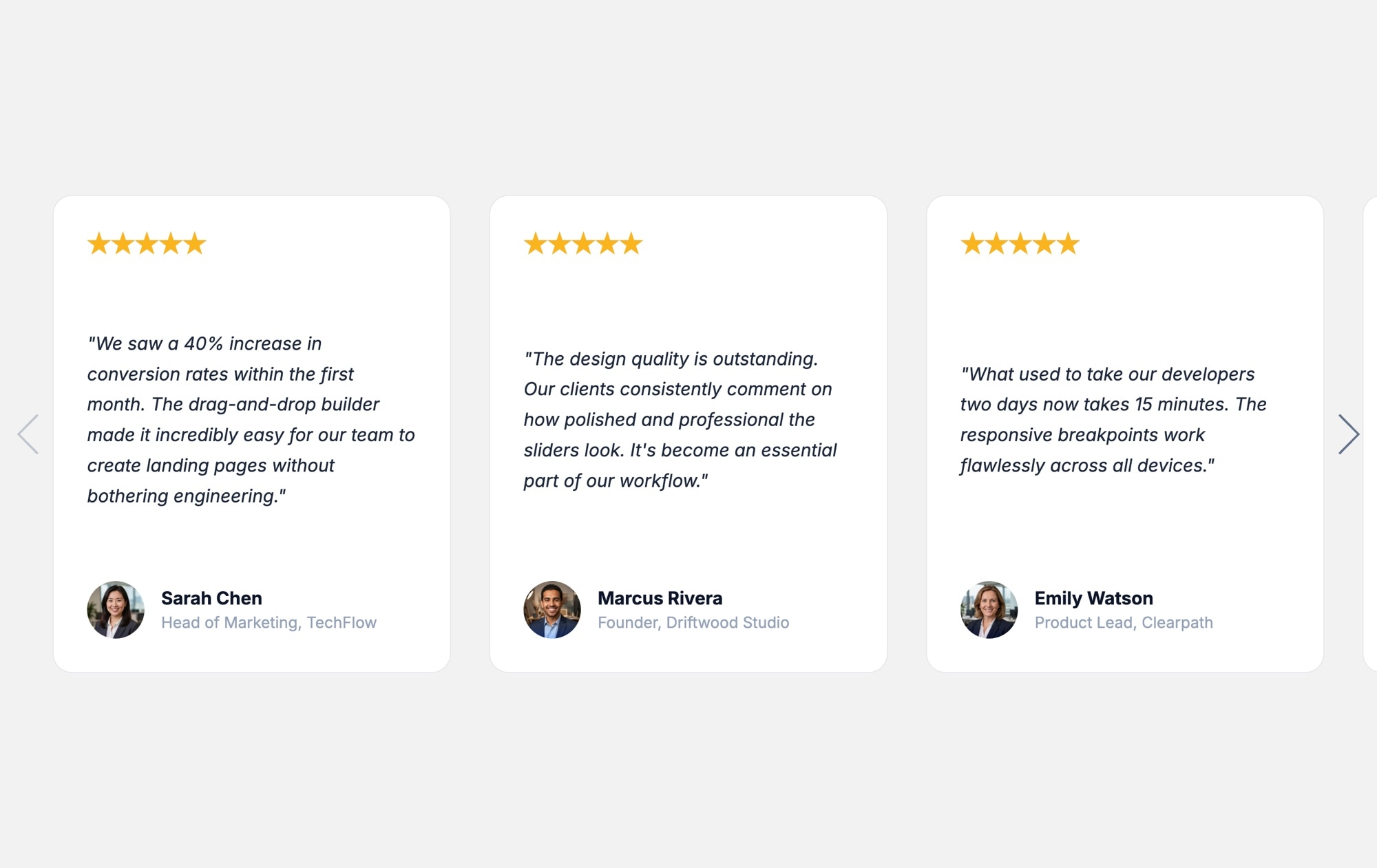
A light testimonial carousel fits naturally into almost any website. The clean white background and dark text create a familiar, approachable reading experience that blends seamlessly with marketing pages, product sites, and corporate layouts. This template delivers a polished review slider with gold star ratings, customer quotes, avatar photos, and navigation arrows - all wrapped in a bright, airy design.
Three review cards sit side by side on desktop, each showing five gold stars, an italic customer quote, the reviewer's name and title, and a circular avatar at the bottom. Navigation arrows on either side let visitors browse through additional testimonials without leaving the section. The light aesthetic pairs well with brands that value clarity, simplicity, and readability above all else.
#What Makes This Template Stand Out
Clean Light Aesthetic
A white background with dark text creates a crisp, readable layout that integrates smoothly into light-themed websites. The design feels native to your page rather than bolted on, giving your testimonial section a professional, cohesive look.
Gold Star Ratings for Instant Trust
Five gold stars at the top of each card communicate positive sentiment before visitors even begin reading. The visual shorthand for a five-star review builds trust immediately and encourages visitors to engage with the full quote.
Multi-Card Layout With Side Navigation
Displaying three testimonials at once creates a wall of social proof that is more persuasive than showing one review at a time. Navigation arrows give visitors control to browse additional reviews at their own pace.
Avatar, Name, and Title for Credibility
Each card identifies the reviewer with a photo, full name, and job title. Attributed testimonials are significantly more convincing than anonymous quotes, and the avatar photo adds a human connection that text alone cannot achieve.
#Who Should Use This Template
If your website already uses a light color palette, this template will feel like a natural extension of your design. There is no visual disconnect between the testimonial section and the rest of the page - the bright background, clean card borders, and dark text match the conventions that visitors expect on modern marketing sites, SaaS homepages, and ecommerce storefronts.
This is an especially strong choice for businesses in healthcare, finance, education, and professional services, where a clean, trustworthy aesthetic reinforces the brand message. The light design conveys transparency and openness, which aligns well with industries where credibility is paramount. It also works beautifully on sites with lots of white space, minimal design systems, and content-first layouts.
Marketers and content teams will appreciate how easy it is to update. When a new customer review arrives, open the project in Swiper Studio, duplicate a slide, replace the text and avatar, and republish. The entire update takes minutes, with no developer involvement required.
#Best Use Cases
- ✓Corporate websites and SaaS homepages that use a light, professional design system
- ✓Ecommerce stores displaying product reviews alongside the purchase flow
- ✓Healthcare, finance, and education sites where a clean aesthetic builds credibility
- ✓Marketing landing pages with a testimonial section between feature blocks and the pricing table
- ✓Small business websites showcasing customer feedback to build local trust
- ✓Agency and freelancer portfolios highlighting client satisfaction alongside project showcases
- ✓Product launch pages where early adopter quotes validate the offering
#How to Customize
- Click "Use This Template" to open the slider in Swiper Studio's visual editor1
- Edit each card's quote text by clicking directly on the text element and typing your customer's words2
- Replace placeholder avatars with real customer photos - click the image element and upload from your computer or asset library3
- Update the name, job title, and company on each card to reflect your actual reviewers4
- Adjust star ratings as needed, or swap them for a different rating format like a numeric score5
- Fine-tune card styling - change border radius, shadow, padding, or background color to match your brand6
- Configure responsive breakpoints so the layout shows three cards on desktop, two on tablet, and one on mobile7
- Add entrance animations to individual elements - fade the quote in, pop the avatar, slide the name up8
- Export to HTML, React, Vue, Next.js, Webflow, or publish to CDN and embed anywhere with a script tag9
#Frequently Asked Questions
- How does the light version differ from the dark version?
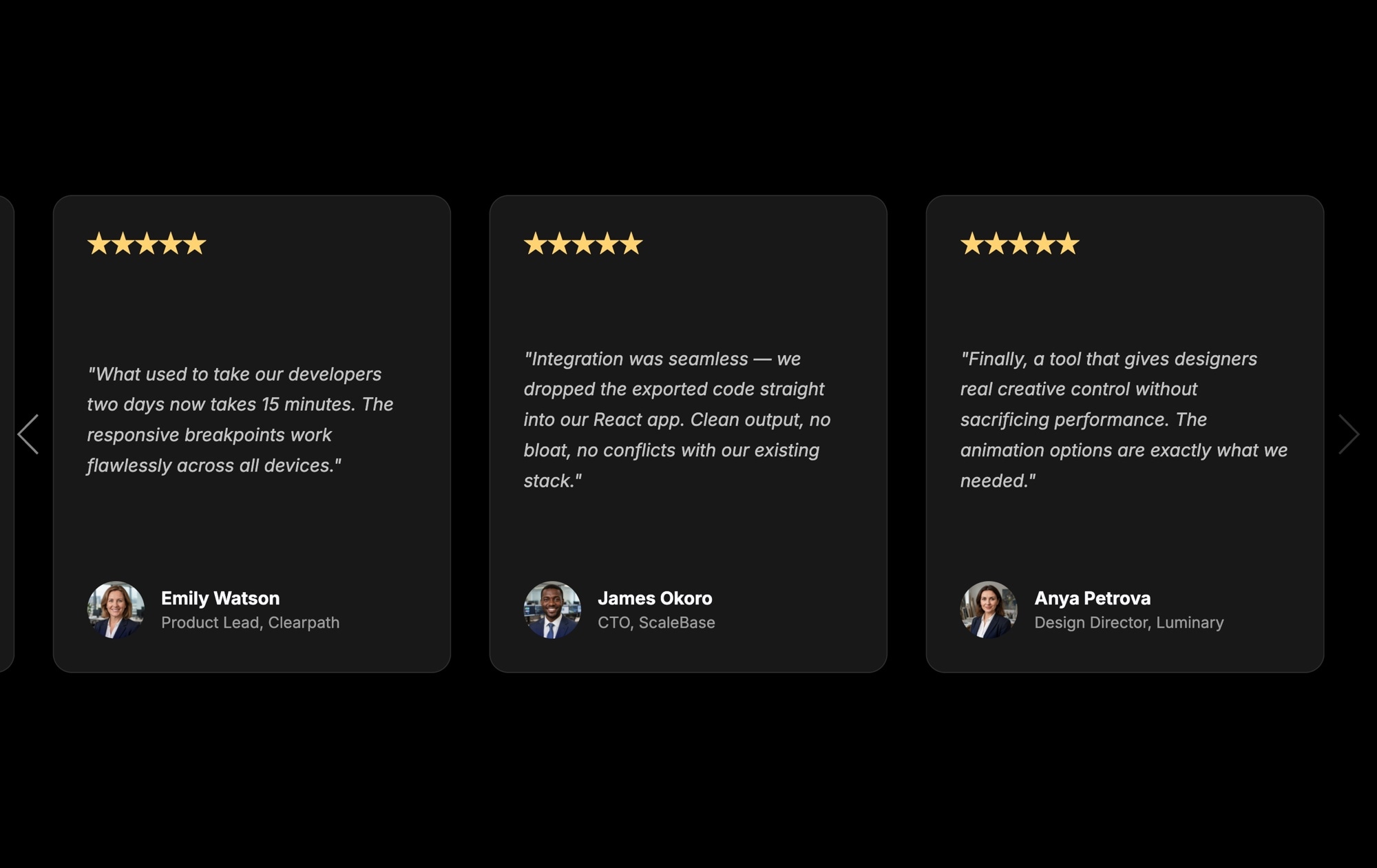
- The layout, card structure, and functionality are identical. The difference is purely visual: the light version uses a white or light background with dark text, while the dark version uses a dark background with light text. Both are fully customizable, so you can adjust either one to match your brand.
- Can I change the number of visible testimonial cards?
- Yes. Adjust the slides per view setting in the parameters panel. The template shows three cards on desktop by default. You can set different values at each responsive breakpoint - for example, one card on mobile and two on tablet.
- Is it possible to add more fields to each testimonial card?
- Yes. Each slide is a flexible canvas. You can add additional text elements for a company name, date, product purchased, or any other detail. You can also add image elements for company logos or badge icons alongside the existing avatar.
- Can I loop the carousel so it never stops?
- Yes. Enable the loop setting in the parameters panel and the carousel will cycle continuously through all testimonials. Combine this with autoplay for a hands-free rotating display of customer reviews.
- Will this template work on my WordPress site?
- Yes. Export the slider and publish it to CDN, then embed it on your WordPress site using an iframe or script tag. No WordPress plugin is required, and the slider loads independently from your theme so there are no style conflicts.
- Can I animate the testimonial cards as they enter the viewport?
- Yes. Swiper Studio supports per-element entrance animations. Apply fade, pop, blur, slide, or typewriter effects to the quote text, star ratings, author name, and avatar independently. Each animation can have its own delay and duration for a polished reveal sequence.
#Related Templates

#Related Resources
- Swiper Studio for Testimonials
- Swiper Studio for Agencies
- Swiper Studio for Marketers
- Swiper Studio for Landing Pages
Ready to Build Your Slider?
Pick a template, customize it visually, and export production-ready code to React, Vue, Next.js, HTML, Webflow, and more. No coding required.








