
Shaders Slider Template
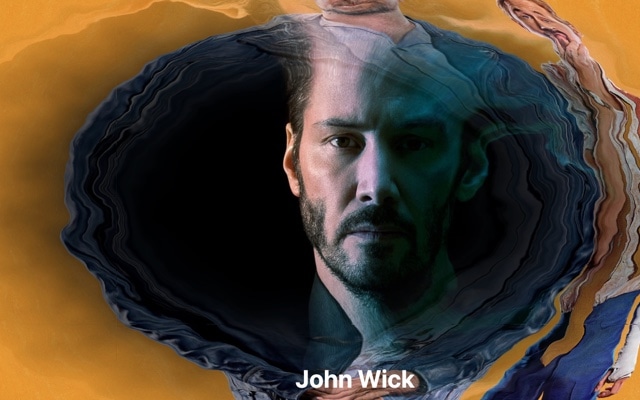
A full-screen image slider powered by WebGL shader transitions through the SwiperGL module. Instead of ordinary CSS fades or slides, each transition runs as a GPU-accelerated shader program — producing effects like ripple distortions, pixel dissolves, morph warps, and chromatic shifts that feel closer to motion graphics than a typical web carousel. Open this template in Swiper Studio, swap in your own images, and deploy a slider with transitions that are genuinely impossible to achieve any other way.
WebGL shaders unlock a category of visual effects that CSS cannot reach. Each transition is a fragment shader running on the GPU, processing every pixel in parallel to create fluid, complex animations at 60fps. The result is a slider that does not just transition between images — it transforms them, with the kind of cinematic quality you normally associate with video post-production or game engines, delivered natively in the browser with zero video files and zero performance compromise.
#What Makes This Template Stand Out
GPU-Accelerated WebGL Transitions
Every transition runs as a shader program on the GPU, enabling visual effects that are mathematically impossible with CSS transforms and opacity changes. Ripple distortions, noise dissolves, chromatic aberrations, and morph warps all render at 60fps with sub-pixel precision, creating transitions that look and feel like motion graphics.
SwiperGL Module Integration
The template uses the SwiperGL module — a purpose-built WebGL rendering layer for Swiper. It handles canvas management, texture loading, and shader compilation automatically, so you get cinema-grade transitions without writing a single line of GLSL or configuring WebGL contexts manually.
Multiple Shader Effect Types
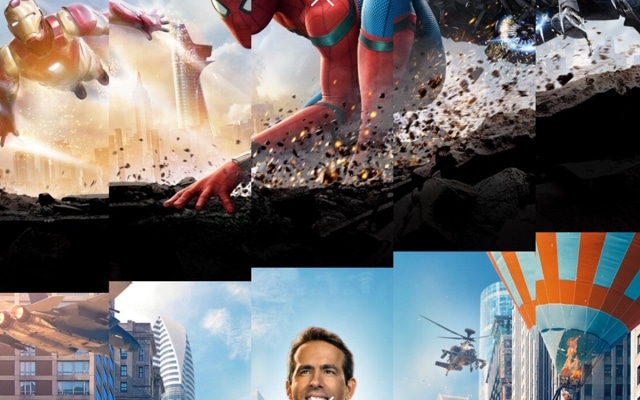
Choose from a range of shader programs, each producing a fundamentally different transition style. Pixel dissolve breaks the image into particles. Ripple distortion warps the surface like water. Morph warp bends and stretches the image into the next. Each effect is configurable with intensity, speed, and direction parameters.
Zero Performance Compromise
Because shaders run on the GPU in parallel, they are faster than equivalent CSS-based animations — not slower. The main thread stays free for user interactions, scroll handling, and other page logic. Your slider looks like a million dollars without costing a single frame of performance.
Graceful Fallback on Older Browsers
On the rare device or browser that does not support WebGL, the slider falls back to a clean standard transition automatically. Your visitors always get a working slider — those with modern browsers get the spectacular shader version, and everyone else gets a solid, functional carousel.
#Who Should Use This Template
This template is designed for developers and technical creatives who want to push the visual envelope of what a web slider can do. If you have ever looked at a CSS-based carousel and thought "this looks like every other slider on the internet," shader transitions are the answer. They produce effects that are genuinely unique — not just variations on fade, slide, and scale, but entirely new categories of visual transformation.
Creative agencies, design studios, and brand teams will find the shaders slider invaluable for projects where visual impact is the primary objective. Award-winning portfolio sites, product launch pages, luxury brand experiences, and interactive storytelling projects all benefit from transitions that feel closer to a film title sequence than a web component. When a client brief says "make it unforgettable," this is the slider you reach for.
Photographers and visual artists who want their online galleries to feel like exhibitions rather than web pages will appreciate the shader transitions. Each image reveal becomes a moment of visual spectacle — a ripple, a dissolve, a warp — that frames the photography as something worth watching, not just clicking through. The GPU acceleration means even high-resolution images transition flawlessly.
#Best Use Cases
- ✓Creative agency portfolio sites where transition quality signals design capability and technical excellence
- ✓Product launch and luxury brand landing pages that demand a premium, unforgettable visual experience
- ✓Photographer and visual artist galleries where shader transitions frame each image as a cinematic reveal
- ✓Interactive storytelling and editorial projects that use motion and transformation to enhance narrative flow
- ✓Award submission and competition websites where visual sophistication is evaluated and rewarded
- ✓Technology and SaaS hero sections that want to demonstrate cutting-edge capability through their own design
#How to Customize
- Open the Shaders Slider template in Swiper Studio by clicking 'Use This Template' above1
- Replace the slide images — select each slide and upload your own high-resolution photography or artwork2
- Choose your shader effect type — browse the available shader programs and select the transition style that best fits your creative direction3
- Fine-tune shader parameters — adjust intensity, speed, direction, and other effect-specific settings to dial in exactly the look you want4
- Add text overlays, headlines, or CTAs on top of slides — apply element animations that complement the shader transition timing5
- Preview across breakpoints — ensure the slider and any text overlays look polished on mobile, tablet, and desktop6
- Export to HTML, React, Vue, Next.js, Web Component, or Webflow — the SwiperGL module is bundled automatically in every export format7
#Frequently Asked Questions
- What is SwiperGL and how does it create shader transitions?
- SwiperGL is a specialized Swiper module that uses WebGL — the browser's GPU-accelerated graphics API — to render image transitions as shader programs. Instead of manipulating CSS properties, each transition runs as a fragment shader on the GPU, enabling complex visual effects like ripple distortions, pixel dissolves, morph warps, and chromatic aberrations that would be impossible or extremely slow with CSS alone.
- Do shader transitions work on all browsers and devices?
- WebGL is supported in all modern browsers including Chrome, Firefox, Safari, and Edge on both desktop and mobile. The shader transitions are GPU-accelerated, so they run smoothly even on mid-range smartphones. On the rare older browser that lacks WebGL support, the slider falls back gracefully to a standard transition.
- Will shader effects slow down my website?
- No. Because shaders run on the GPU rather than the CPU, they are extremely efficient. The GPU handles the pixel-level math in parallel, so even complex visual effects like distortions and dissolves render at 60fps without blocking the main thread or affecting page interactivity. The performance is typically better than equivalent CSS-based animations.
- Can I choose different shader effects for different slides?
- The shader effect is configured at the slider level, so all transitions use the same shader program for visual consistency. However, you can choose from multiple shader types — each producing a dramatically different transition style — and customize parameters like intensity, speed, and direction to fine-tune the look.
- What export formats does this template support?
- You can export the shaders slider as standalone HTML, a React component, a Vue component, a Next.js project, a Web Component, or a native Webflow element. The SwiperGL module is included automatically in all exports, so shader transitions work out of the box in every format.
#Related Templates


#Related Resources
- Swiper Studio for Developers
- Swiper Studio for Image Galleries
- Swiper Studio for Hero Sections
- Swiper Studio for Photographers
Ready to Build Your Slider?
Pick a template, customize it visually, and export production-ready code to React, Vue, Next.js, HTML, Webflow, and more. No coding required.








