
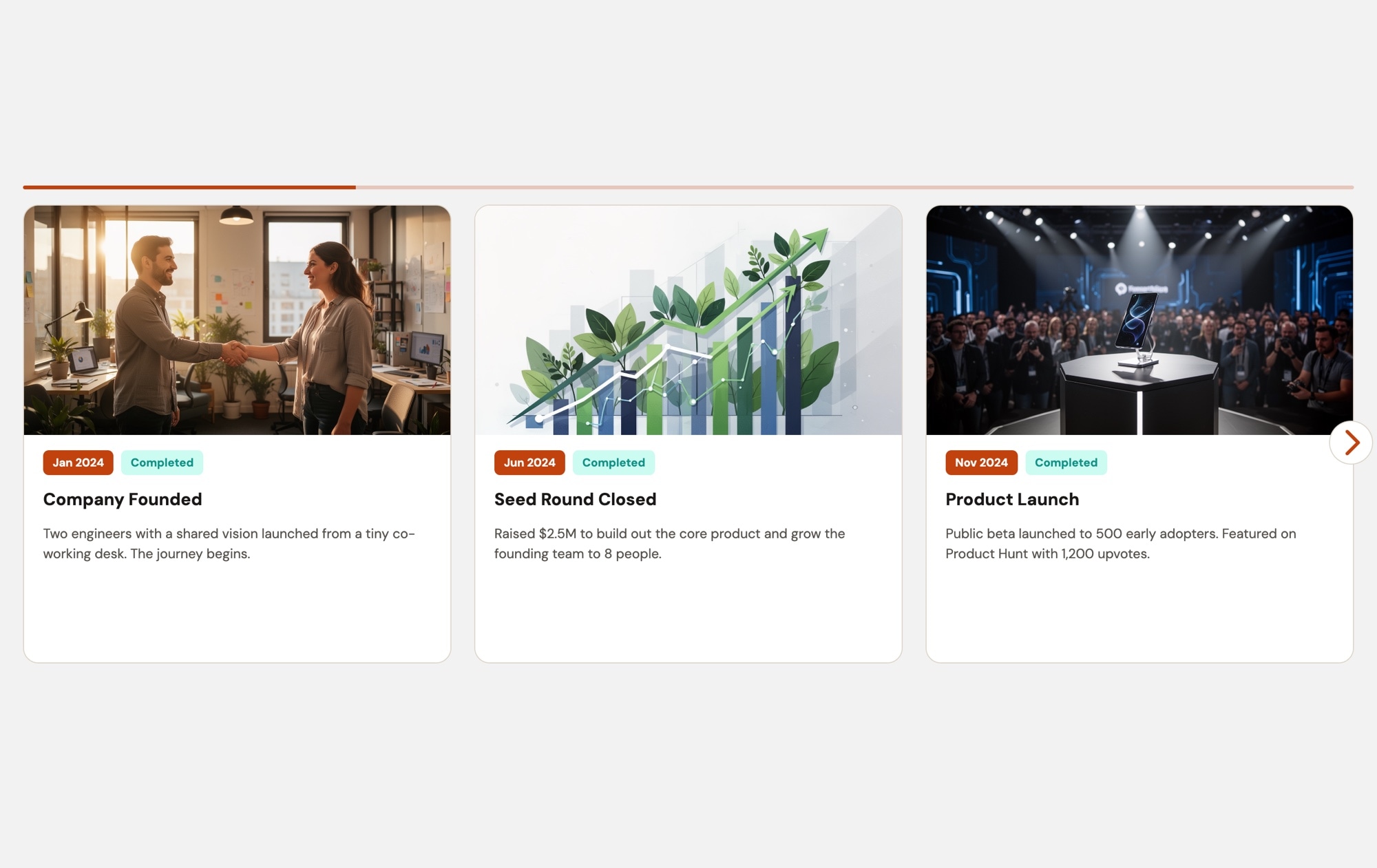
Event Timeline - Light
A clean, light-themed milestone carousel that turns your company history into an interactive story visitors want to explore. Each card features a photo at the top, a teal date badge ("Jan 2014", "Mar 2016", "Sep 2018"), an orange "Completed" status indicator, a bold milestone title, and a descriptive paragraph — all set against a bright white background that integrates naturally with corporate and SaaS websites. Three cards display side by side on desktop, giving viewers an immediate sense of momentum and progress as they swipe through your timeline.
#What Makes This Template Stand Out
Clean Light Aesthetic
The white background gives the timeline a professional, approachable feel that blends seamlessly with corporate websites, marketing pages, and SaaS landing pages. Unlike dark themes that create visual separation, the light design makes the timeline feel like a native section of your existing site.
Photo-Rich Milestone Cards
Each timeline entry features a prominent photo at the top of the card. Whether it is a team photo from your founding day, a screenshot of your first product, or an image from a launch event, the photography makes each milestone concrete and memorable rather than abstract.
Teal Date Badges
Distinctive teal date badges create a consistent visual rhythm across all cards. The color is professional yet eye-catching — prominent enough to anchor each milestone in time without competing with the photos or title text for attention.
Orange Status Indicators
An orange 'Completed' badge on each card provides instant visual confirmation of achievement. The warm color draws the eye and communicates progress. For roadmap-style timelines, change the label and color to represent different states — completed, in progress, planned.
Three-Card Desktop Layout
Showing three milestones simultaneously on desktop lets viewers absorb the progression at a glance. The side-by-side layout communicates momentum — visitors see a sequence of achievements rather than isolated events, which builds confidence in your company's trajectory.
#Who Should Use This Template
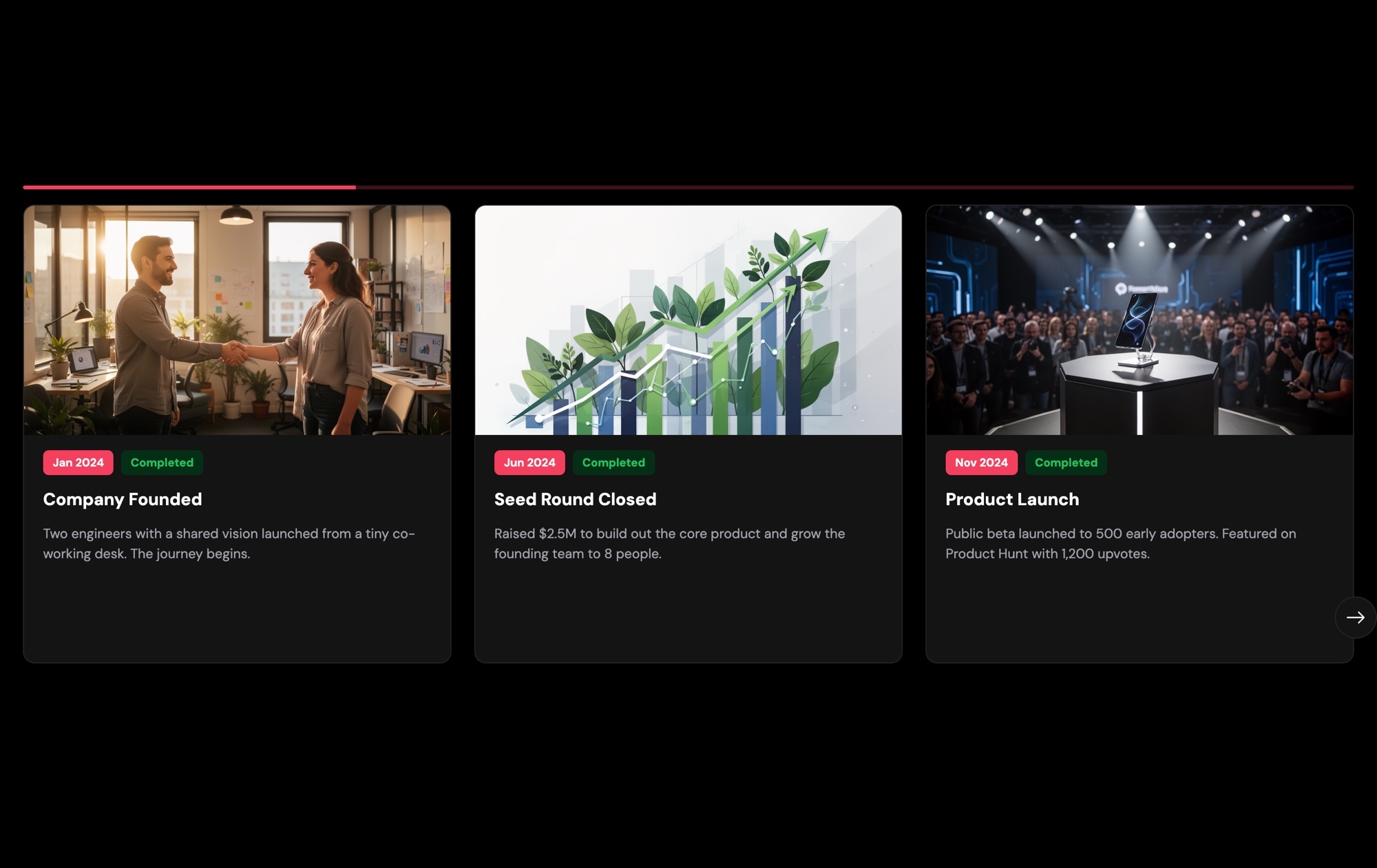
This template is designed for companies with light-themed websites that need a timeline section without visual friction. If your site uses a white or light gray color scheme, the dark version of this template would create a jarring contrast. The light variant slides into your existing design naturally, making the timeline feel like it was custom-built for your page rather than dropped in from an external tool.
Corporate marketing teams, HR departments, and investor relations teams will find this template valuable for About pages, careers pages, and annual report microsites. The structured card format with photos, dates, and status badges communicates professionalism and attention to detail — exactly the impression you want when a prospective client, job candidate, or investor is evaluating your company.
SaaS companies and product teams can repurpose this template as a product roadmap or feature release timeline. Replace the milestone titles with feature names, use the status badges to indicate shipped, beta, or planned releases, and update the descriptions with feature details. The result is a polished, interactive roadmap that is far more engaging than a flat Notion page or spreadsheet link.
#Best Use Cases
- ✓Corporate About pages presenting company history, funding rounds, and growth milestones on a light-themed site
- ✓SaaS product roadmap pages showing shipped features, current development, and planned releases with status indicators
- ✓Careers and culture pages highlighting key company moments — office openings, team retreats, award wins — to attract talent
- ✓Investor relations pages summarizing quarterly or annual achievements in a browsable, visual format
- ✓Nonprofit and educational organization websites showcasing program milestones, impact metrics, and historical highlights
- ✓Client proposal and case study pages walking stakeholders through project phases and deliverables
#How to Customize
- Open the Event Timeline Light template in Swiper Studio by clicking 'Use This Template' above1
- Replace the milestone photos — select each card's image element and upload your own event photography, team photos, or product screenshots2
- Update the teal date badges with your actual milestone dates — click the badge text and type the new date3
- Edit the milestone titles and descriptions on each card to reflect your real company events, product launches, or project phases4
- Customize the status badges — change labels to 'Completed', 'In Progress', or 'Planned' and adjust badge colors to create a clear visual status system5
- Add or remove timeline entries by duplicating existing slides for consistent styling or deleting milestones you want to exclude6
- Preview responsive breakpoints — verify the layout looks clean on mobile (1 card), tablet (2 cards), and desktop (3 cards), adjusting spacing and font sizes as needed7
- Export to your preferred format (HTML, React, Vue, Next.js, Web Component, or Webflow) or publish to CDN for instant embedding on your website8
#Frequently Asked Questions
- What is the difference between the light and dark timeline templates?
- The structure is identical — photo cards with date badges, status indicators, milestone titles, and descriptions. The difference is purely aesthetic. The light version uses a white/light background with teal date badges and orange status badges, giving it a clean, corporate-friendly look. The dark version uses a deep dark background with red date badges and green status badges for a more cinematic feel. Choose whichever matches your site design.
- Can I add more milestones to the timeline?
- Yes. Duplicate an existing slide to keep the card layout, badge styling, and spacing consistent, then replace the photo, date, title, status, and description. There is no slide limit — add as many milestones as your timeline needs.
- How do I change the status badges for future milestones?
- Select the status badge text element on any card and change the label to "In Progress", "Upcoming", "Planned", or any term that fits. Change the badge background color to differentiate statuses visually — for example, orange for completed, blue for in progress, and gray for upcoming.
- Will this template blend with my existing light-themed website?
- Yes. The light background is designed to integrate seamlessly with corporate sites, SaaS landing pages, and marketing pages that use a white or light gray color scheme. The timeline section will feel like a native part of your page rather than an embedded widget with a clashing background.
- What export formats are available?
- You can export the timeline as standalone HTML, a React component, a Vue component, a Next.js project, a Web Component, or a native Webflow element. You can also publish to CDN for instant embedding on any site with a single code snippet.
#Related Templates

#Related Resources
Ready to Build Your Slider?
Pick a template, customize it visually, and export production-ready code to React, Vue, Next.js, HTML, Webflow, and more. No coding required.








